Resize frames based on xml attributes
Overview
Use this rule to resize a frame to dimensions defined by document XML attributes. It follows the same pattern as "Move Frame based on xml attributes" but controls width and height instead of position.
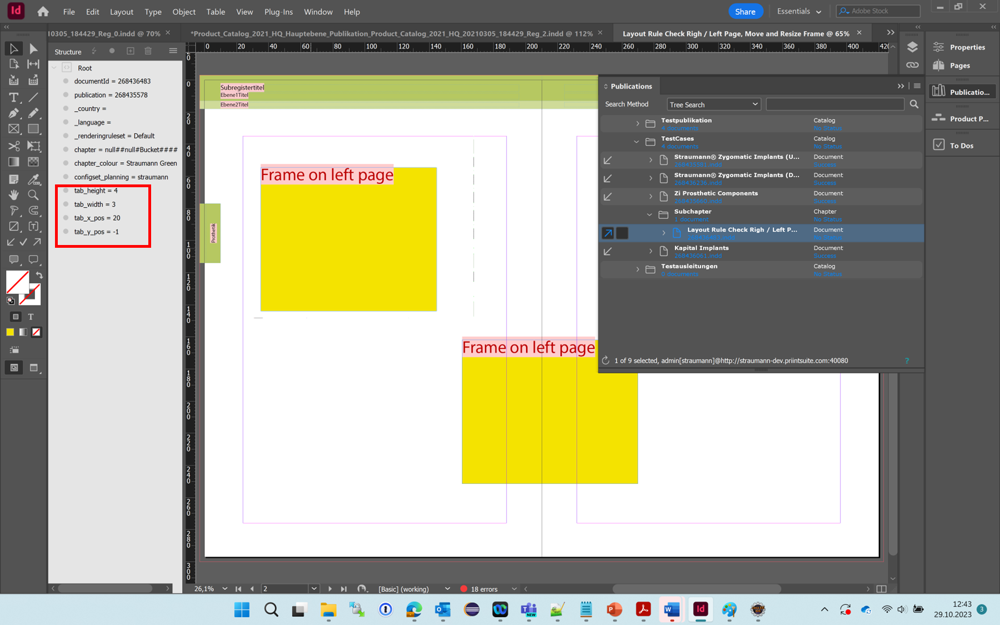
How It Works
Reads the width and height values in mm from the XML attributes named in gParam3 and gParam4. If either attribute is missing or empty, the rule exits without resizing.
In Absolute mode, sets the frame to exactly the given dimensions.
In Relative mode, adds the values to the current frame width and height.
gParam2 controls which corner of the frame stays fixed during resizing.
All values are interpreted as millimeters.
Reference
| # | Name | Type | Default | Description |
|---|---|---|---|---|
| 1 | Mode | Dropdown | Absolute | Absolute: set exact dimensions. Relative: add values to current size |
| 2 | Reference Point | Dropdown | Top Left | Corner held in place during resize. Options: Top Left, Top Right, Bottom Left, Bottom Right |
| 3 | Width | String | - | Name of the XML document attribute holding the width or width delta in mm |
| 4 | Height | String | - | Name of the XML document attribute holding the height or height delta in mm |