Content
Neowise Version 2026/1 (4.8) Release
Windows: PubServer_Install_Update_4.8.0.685.zip
Linux: PubServer_Update_4.8.0.685_UbuntuLinux.deb
Message Center
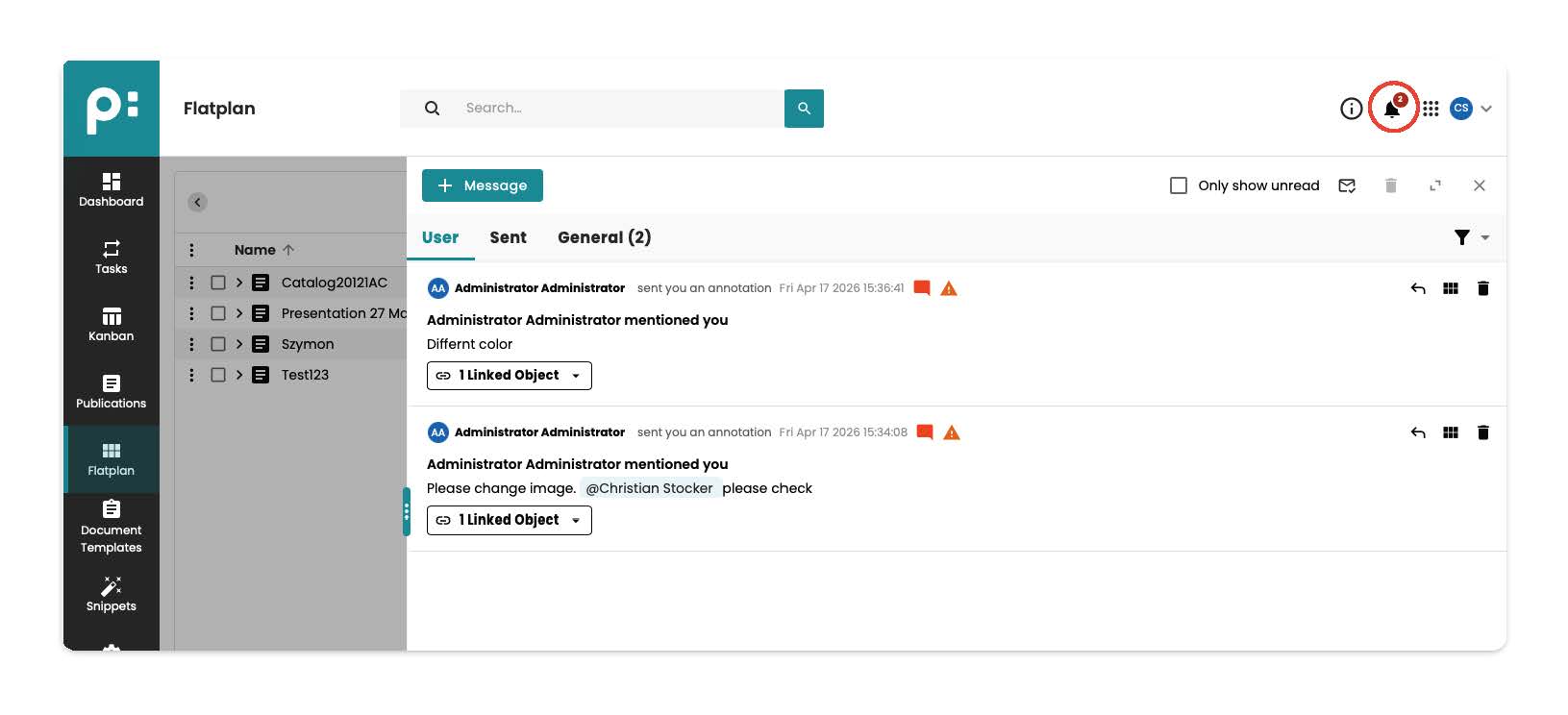
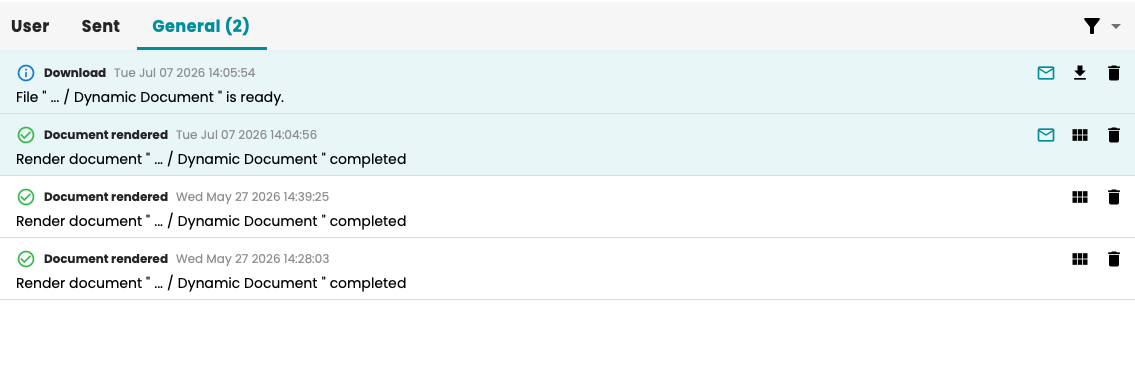
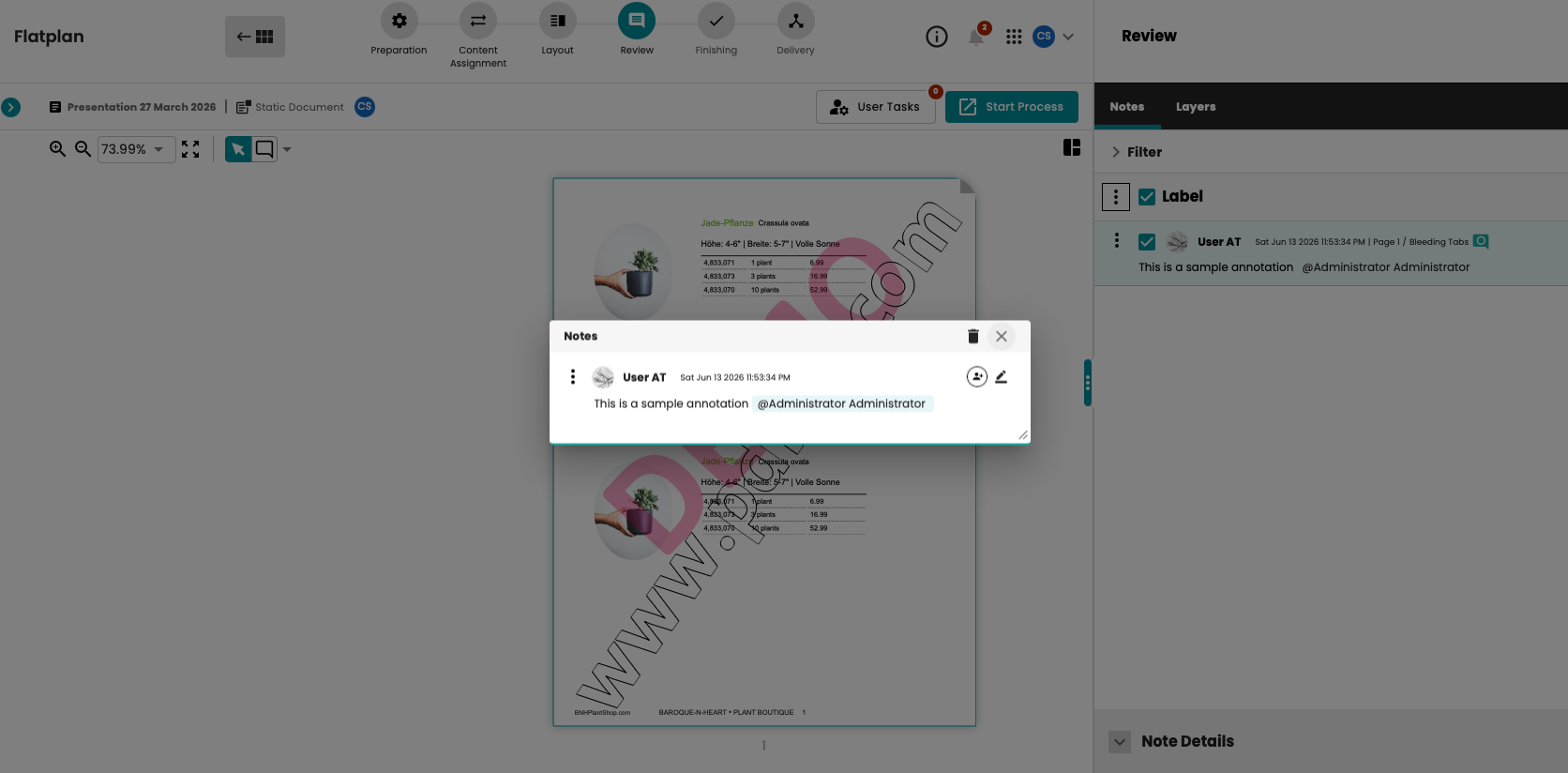
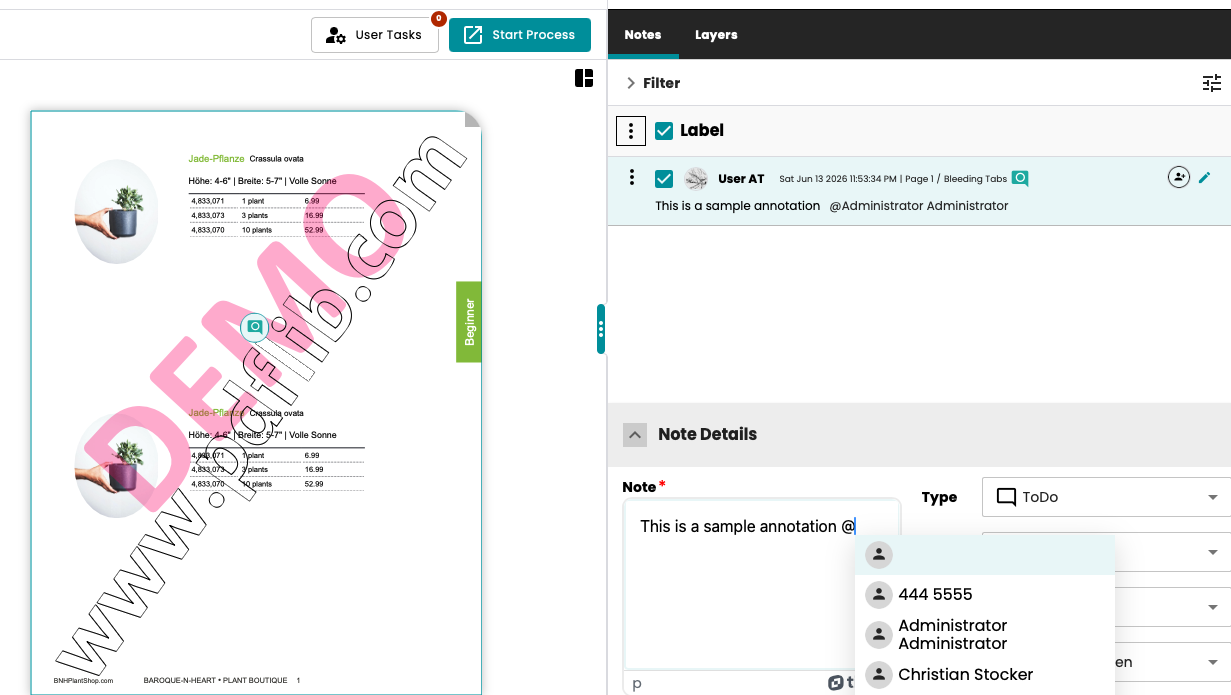
This version introduces a new Message Center. This center allows you to exchange messages with other users within the system. It also serves as a place to receive system messages, such as updates on the status of a workflow that has been started or user tasks that have been assigned to you. The Message Center includes standard email functions such as “Forward” and “Reply.” You can tag other users in the text of your messages; they will then automatically receive the message as well. Documents can also be attached to messages. Clicking on an attachment automatically redirects the user to the document in Flatplan.
 General (System) messages:
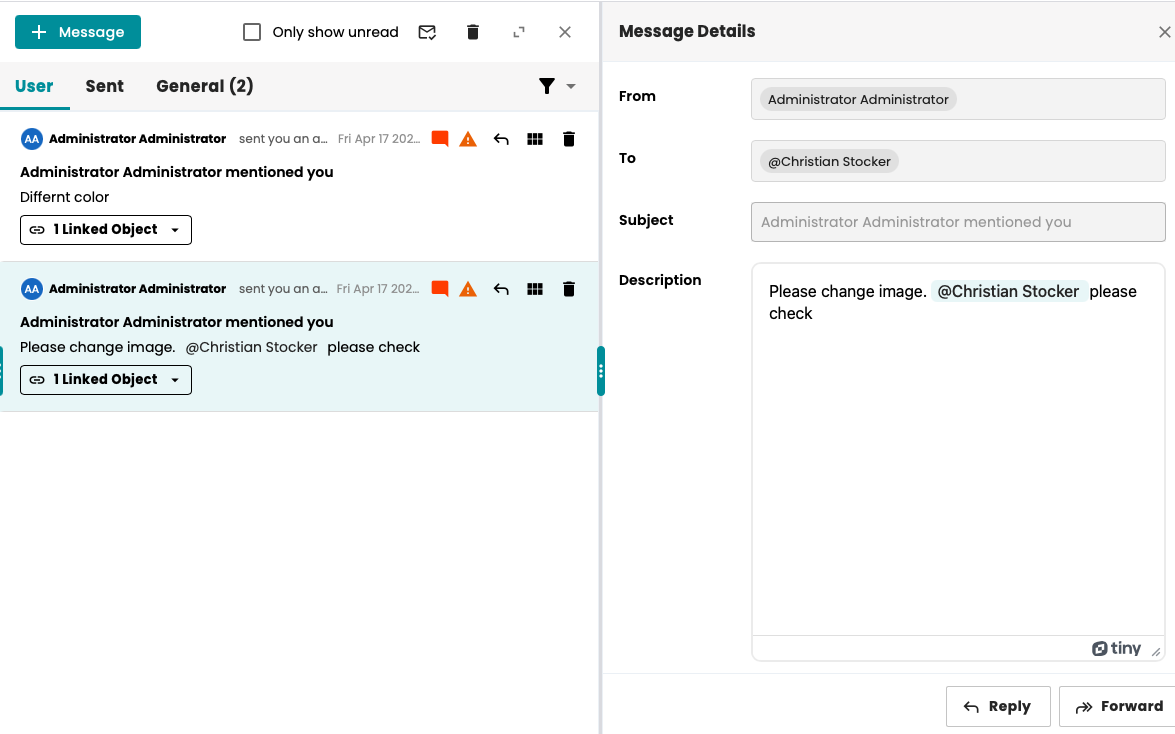
Linked objects attachments:
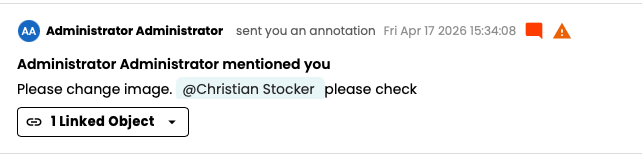
Message Detail window:
To learn more, please consult Messaging
Workflow History
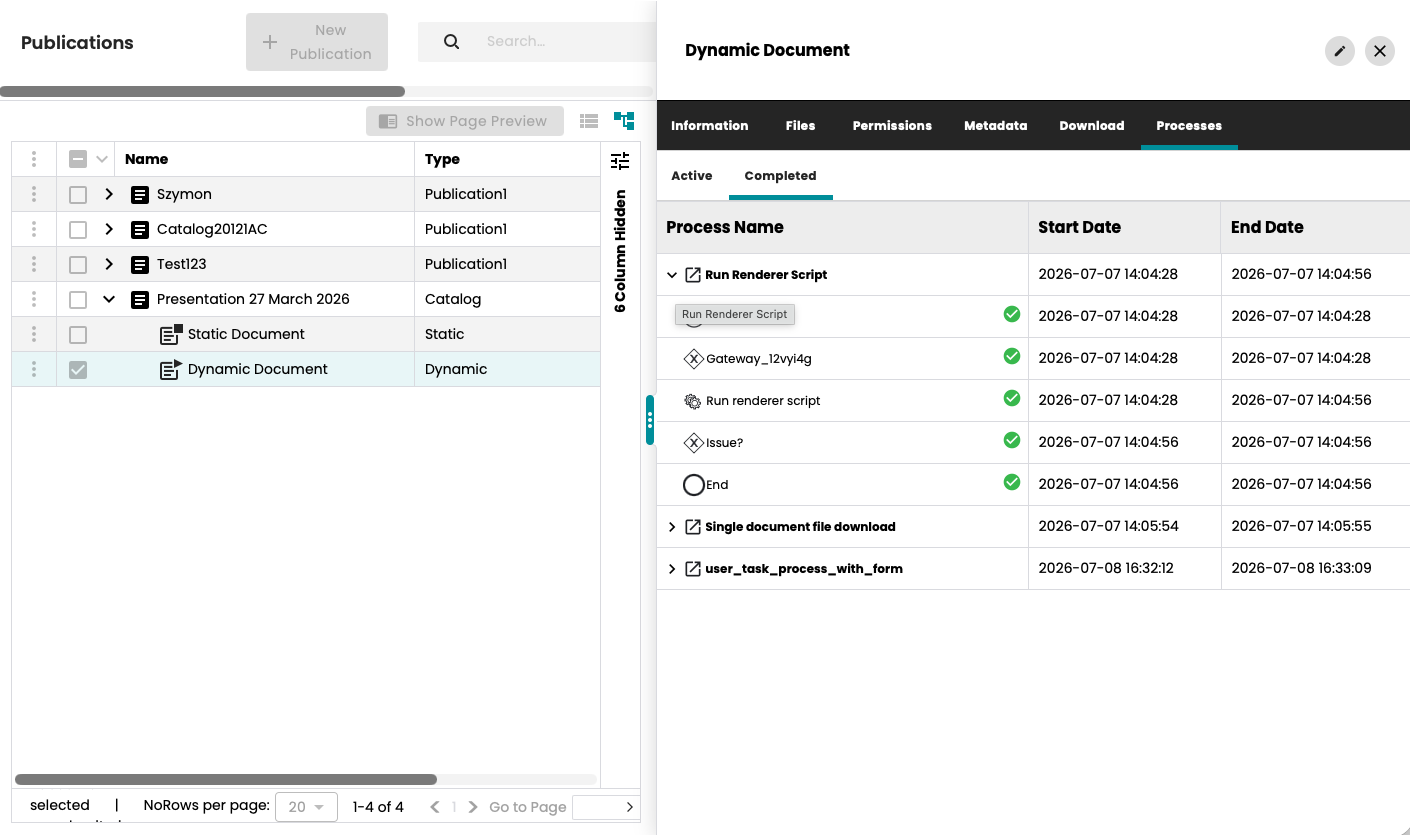
Starting with this version, the publication window can also display the history of processes that have been run on documents, publications, or folders. There are two sub-tabs in the “Processes” tab. The “Completed” tab displays the processes that have already been completed for the object, along with all the tasks that were executed.
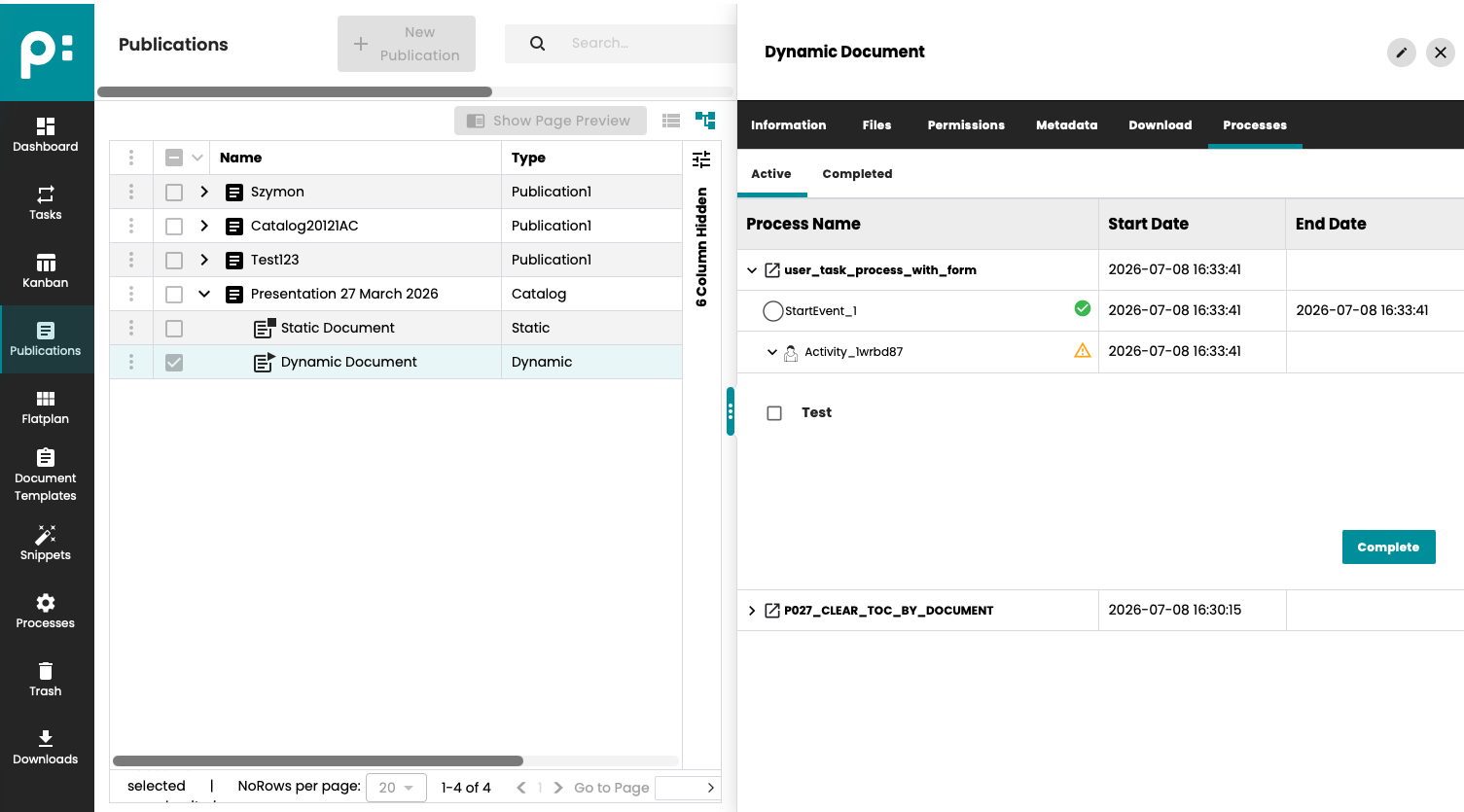
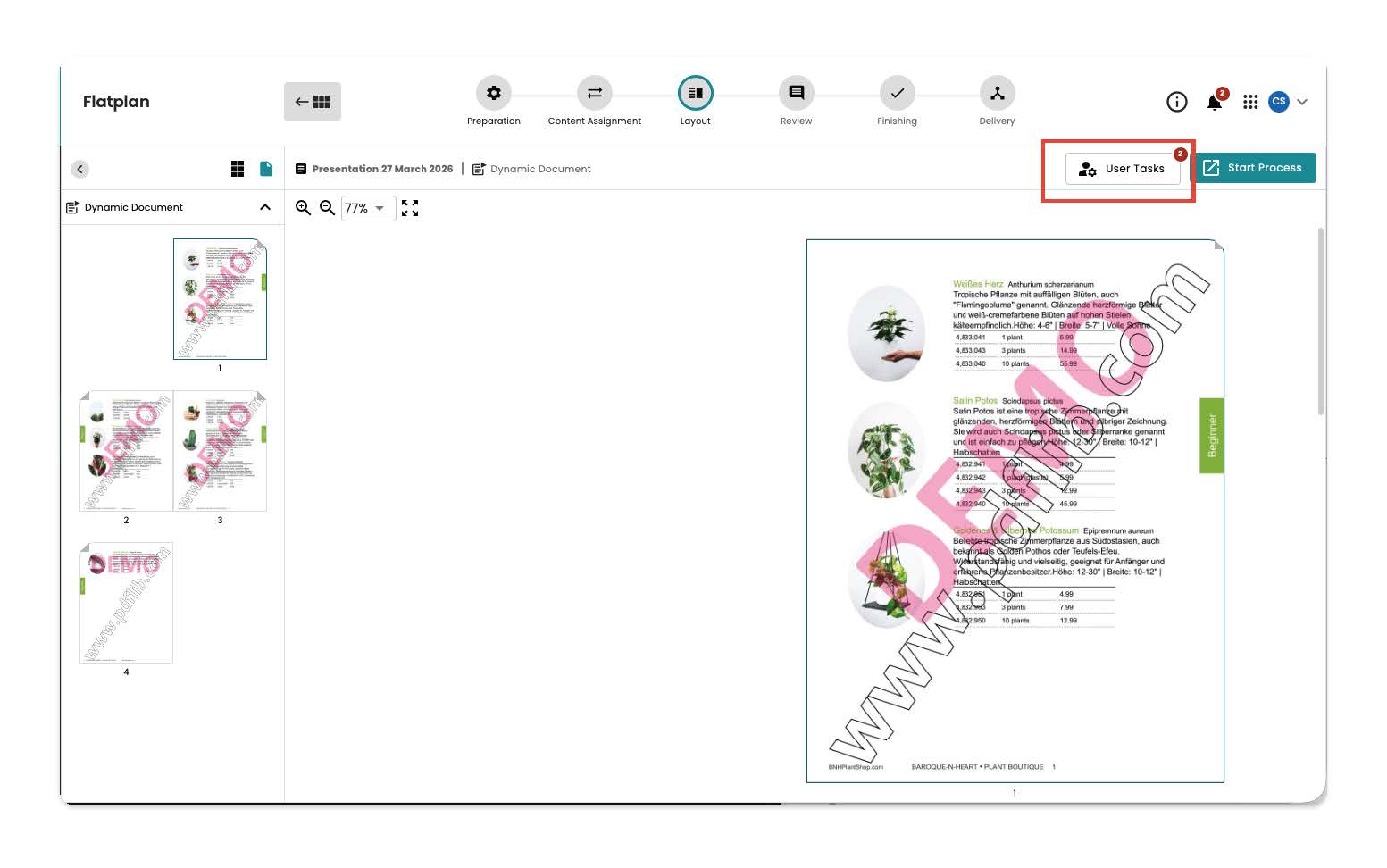
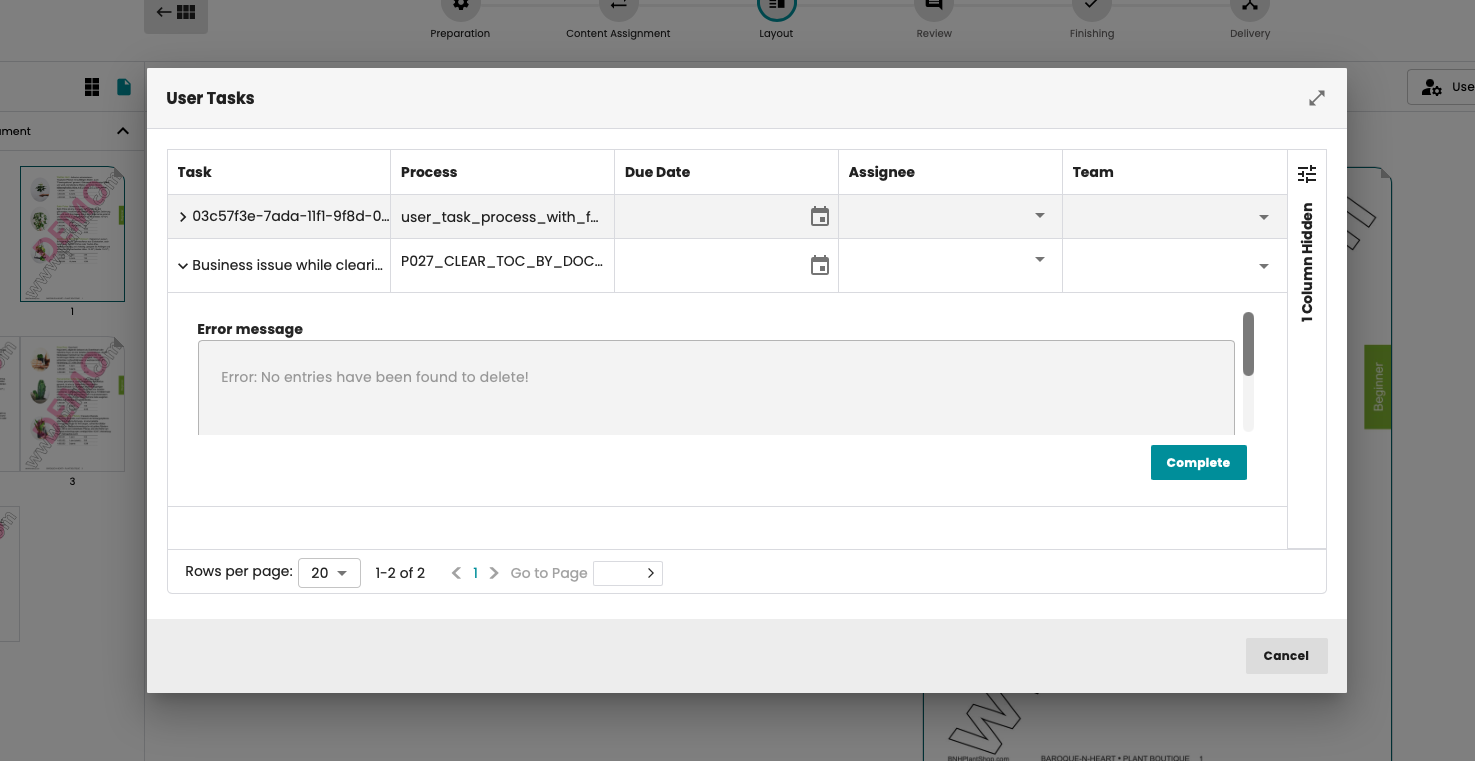
In the “Active” tab, the processes still active on the object are displayed together with all executed tasks. User tasks can also be completed in this tab.
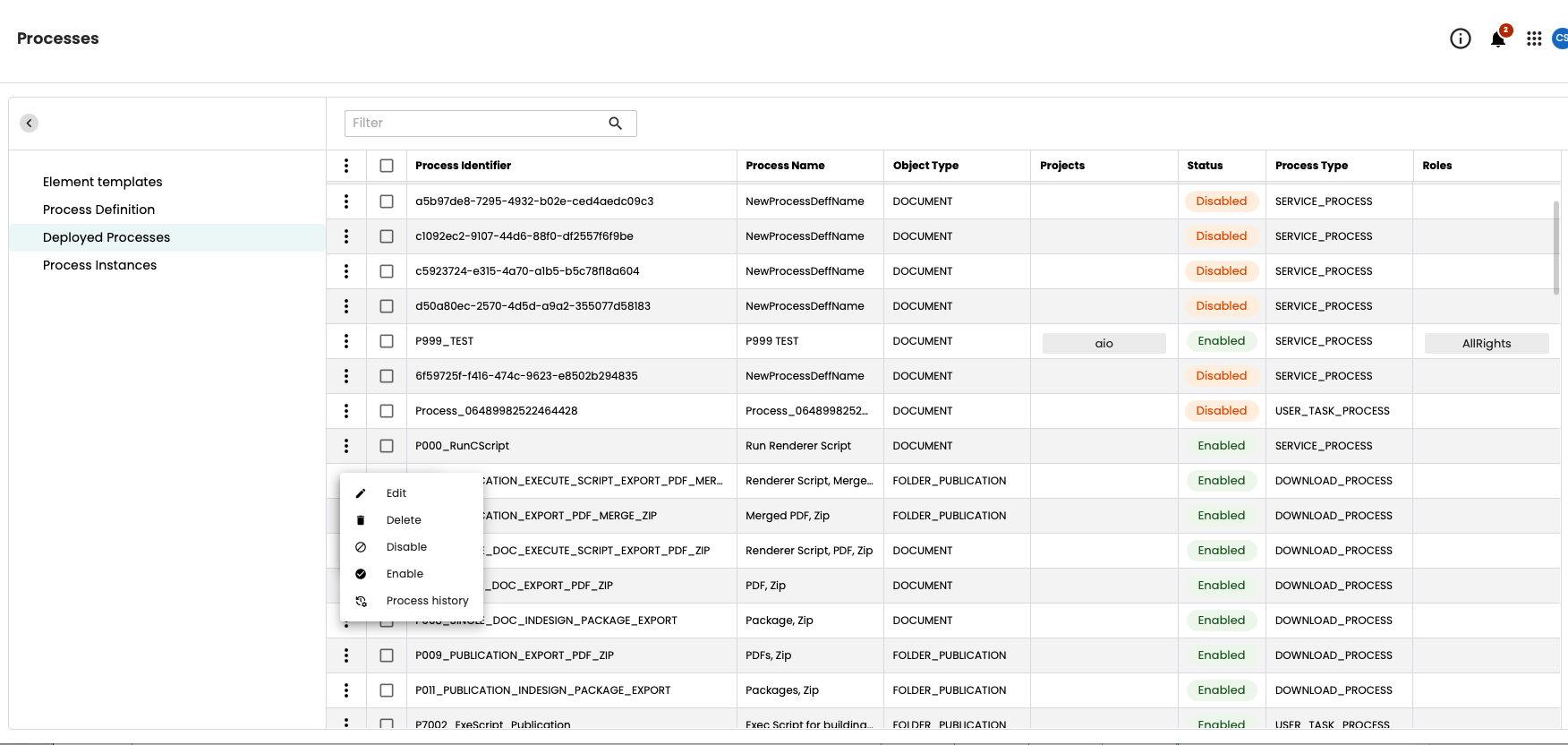
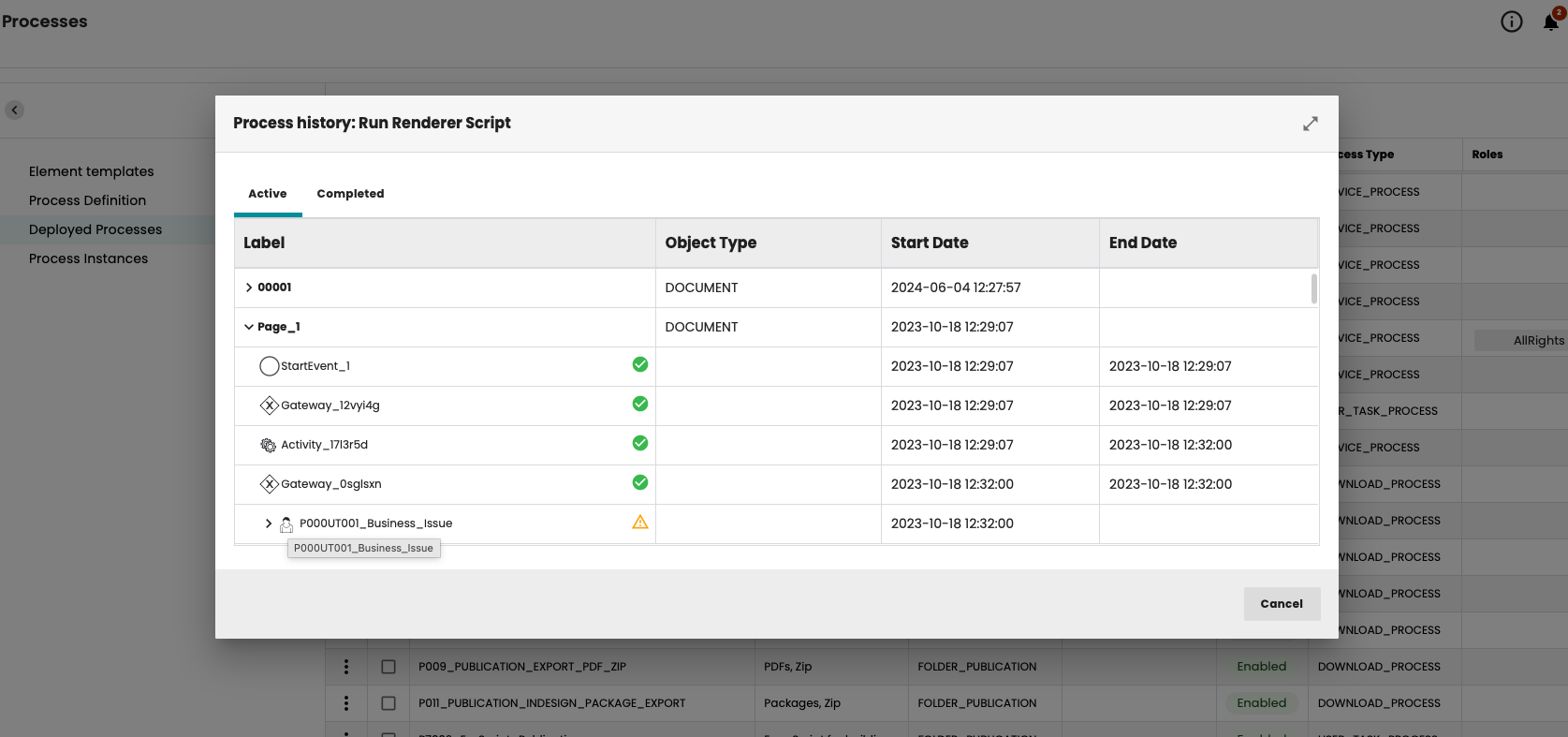
In the “Processes” window, you can view the complete history of a deployed process:
Complete user tasks in Flatplan
Annotation: Tagging user in annotation text
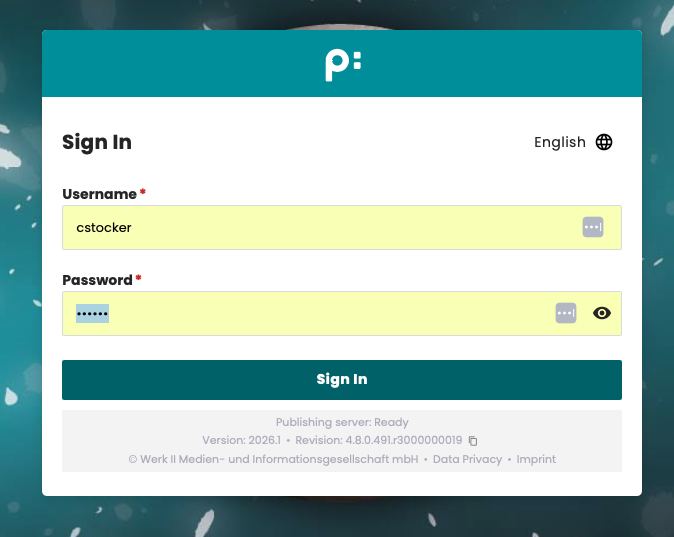
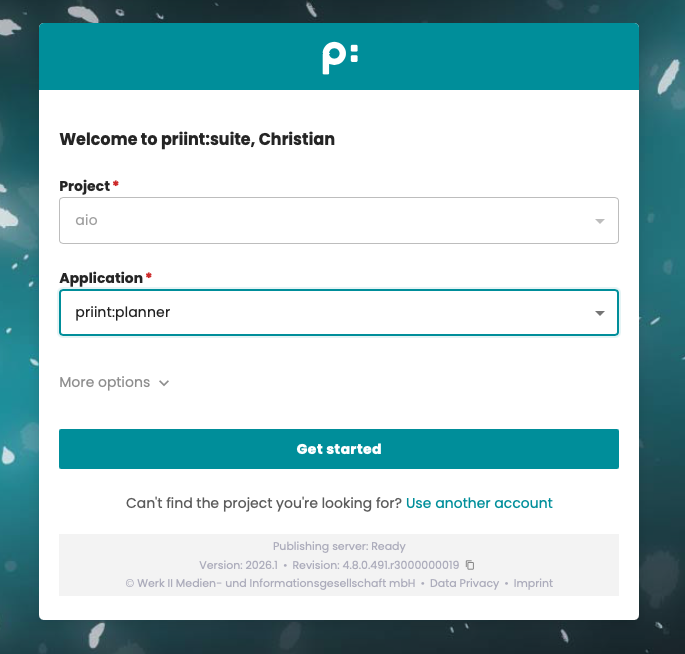
New login UI
This version introduces a new login dialog. It is now divided into two parts. The first step is authentication. The user enters their username and password. If SSO login has been configured, it can be used as before.
In the second step, the user can select the project and application via pop-ups. The authentication that has already taken place is taken into account here. This means that only projects and applications to which the user has access are displayed.
New role definition: priint:suite applications
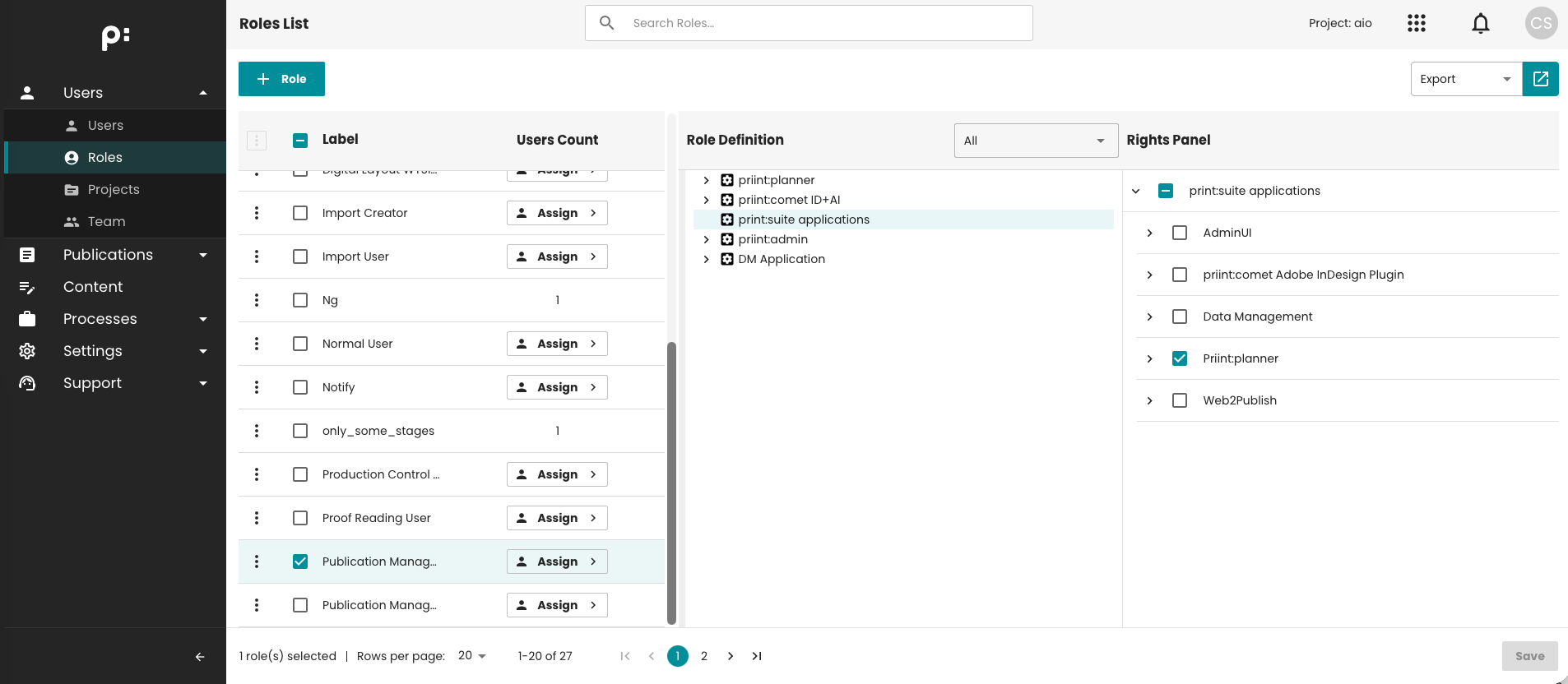
There is another role definition, “priint:suite applications,” which allows you to assign specific applications to a role that can be opened by a user with that role.
Camunda: Moving from Camunda 7 to CIB7
Since Camunda 7 is EOL and its successor, Camunda 8, has new licensing terms that include license fees, Camunda 7 has been replaced by CIB 7, a freely available version of Camunda 7 that continues to be maintained. Migration is not required.
Document storage: Azure Blob supported
Starting with this version, Azure Blob is also supported as object storage. Learn more: Azure Blob Storage configuration
Other notable improvements
- After planning creation hooks are now available. Learn more: After planning creation hooks
- Searching content by document context criteria is now available by choosing the "Search by document context criteria" method. Learn more: Search by document context criteria
- Content search method selection is now kept for the user.
- In Grid Planning, it is now possible to select Media Assets for sub-plannings by selecting the parent and going into Detail -> Media Assets tab.
- Unlocking several documents is now possible.
- Converting a Publication into Folder is now possible by using the "Move publication" context menu item.
- Notes can now have an arrow shape in the Review stage.
- Publications with no Document Templates assigned now display a warning icon next to their name in the Publications panel.
AdminUI- Version 4.8 (2026/1) release
Deployment Process
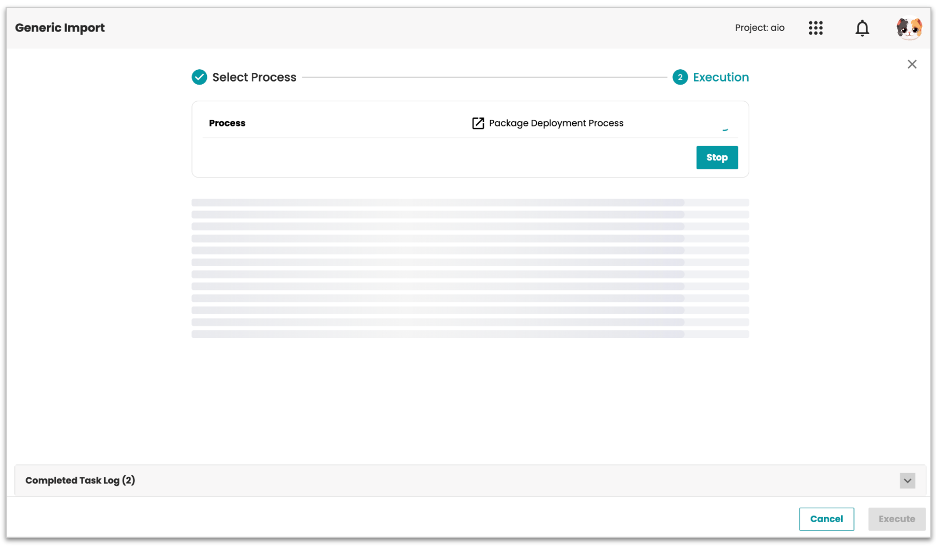
Before this, deploying a package meant going into the terminal and running commands manually, package by package. No checks, no safety net, easy to make mistakes. Now you can run the whole deployment right from the Standard Process UI, like any other process. No terminal needed. The system checks everything first: enough disk space, correct access rights, database connection, and any locked files. If something's not right, it stops and shows you the issue before anything is touched. Once checks pass, it backs up the current setup automatically, then deploys the package step by step. If anything goes wrong during deployment, it rolls back to the backup on its own, so you don't have to fix it by hand.
IdP Mapping improvement
In the last release, we introduced dynamic mapping rules for OIDC users. Rules could match on a single attribute value and automatically assign a role, team, or project on login.
This release extends that foundation as following.
Multi-project assignment: A single mapping rule can now assign a user to multiple projects at once. Before, only one project per rule was supported.
List value matching: Claim attributes often carry multiple values in a list. Rules can now handle that. A condition passes if any item in the list matches, so users are not missed just because their attribute has more than one value.
Dynamic placeholders in actions: Actions can now use matched values directly. For example, if a regex group captures "pubserver" from a group name, the rule can use {$1.1} to assign that value as the team name automatically. This removes the need to hardcode team names for every possible value.
Auto-create teams: If a mapping rule tries to assign a user to a team that does not exist yet, the system will now create that team on the fly. No manual setup needed before users log in.
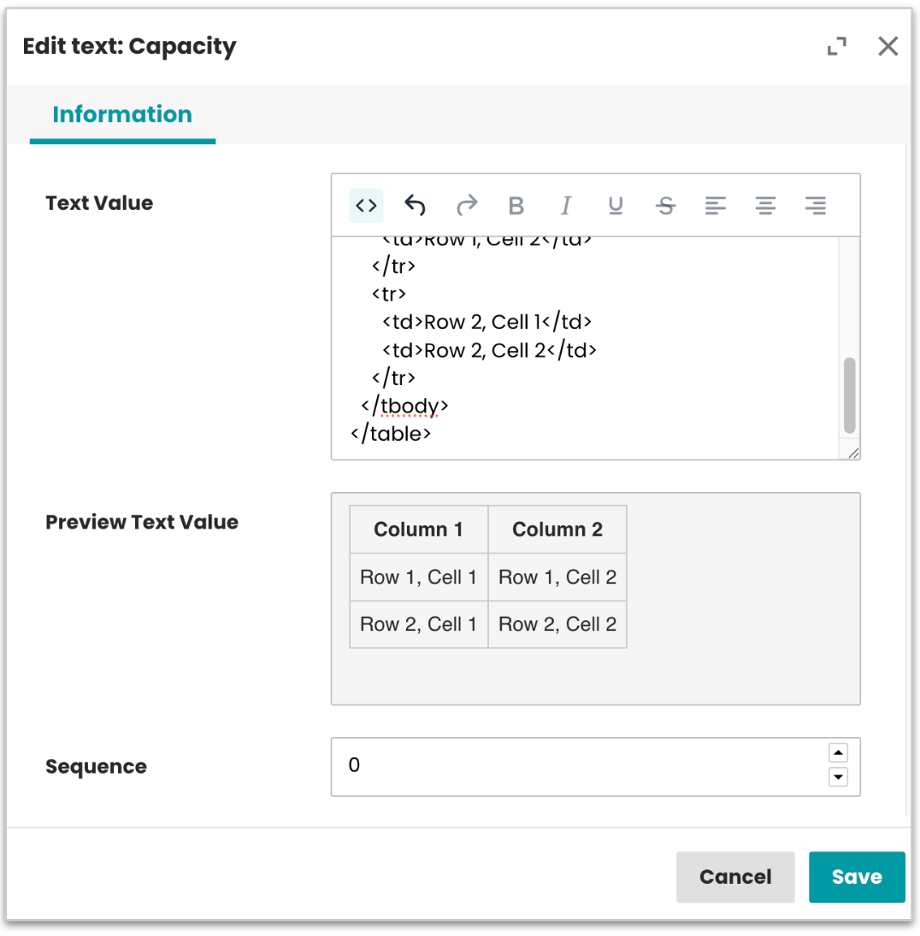
Unify Text input field with HTML support
Text entries now use one consistent rich-text editor, with a visual mode by default and an optional HTML view.
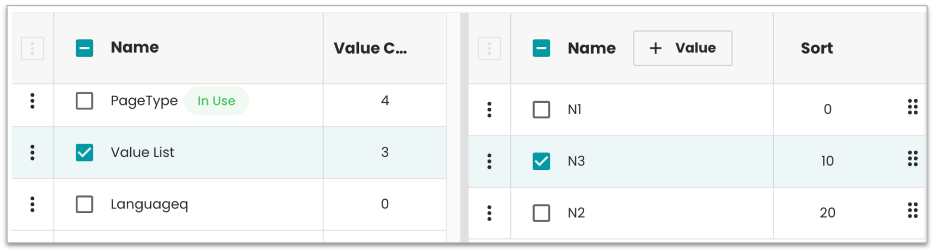
Value List sorting and reordering improved
Value lists now support drag-and-drop reordering with a Sort column, default ascending order.
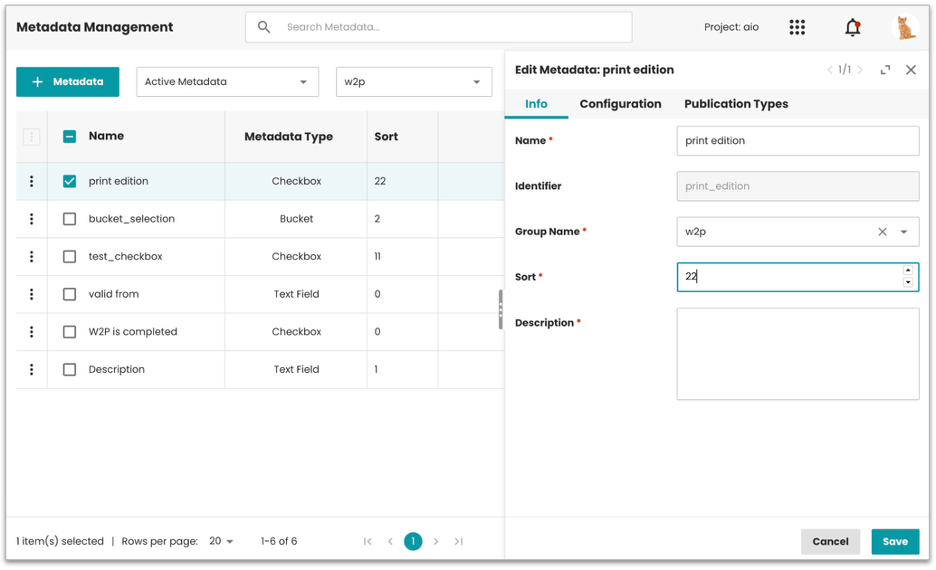
Metadata sorting by Group name added
Metadata can now be sorted by group name, matching the legacy Planner behavior.
UI library update (ongoing)
The Admin UI is being updated to use a unified UI library across all pages, replacing the mix of old and new components that caused visual inconsistencies. Pages updated so far: Session, Project, Value List, and Metadata. No functional changes, just a cleaner and more consistent experience throughout the app.
Unify Content module
The Content Module now shares the same UI across Admin and Data Management. Previously the two apps handled content differently in the background, but from the UI side they now look and work the same way. This means any future UI update only needs to happen in one place and it applies to both apps automatically.
Bug fixes and improvements
- ADMIN-3924 Added "Copy String ID to Clipboard" to the context menu on the Bucket and Media Asset tabs
- ADMIN-3896 Added support for the description field in dynamic process forms
- ADMIN-3577 Added Unit column to the Key Value list
- ADMIN-3387 Added required field support in Advanced Search forms
- ADMIN-2682 Added hint/description support for fields in Process forms and Advanced Search forms
- ADMIN-3104 Added tooltip to explain each metadata type in the configuration form
- ADMIN-3120 Auto-download export file once export reaches 100%
- ADMIN-3122 Auto-close process execution popup after successful run in Content module
- ADMIN-3121 Role and User pages now reload automatically after import
- ADMIN-3296 Object label now included in Content process payload
- ADMIN-3489 Improved UI responsiveness when opening and closing panels
- ADMIN-3484 Improved tree table row selection, expand and collapse no longer triggers unintended selection
- ADMIN-3549 Improved tree column loading performance
- ADMIN-3574 Drag-and-drop disabled when active column sorting is applied
- ADMIN-3487 Browser autocomplete disabled in dynamic form fields
- ADMIN-3803 Fixed missing fields in the Edit Media Asset form
- ADMIN-3272 Fixed country field not selectable when creating a Media Asset
- ADMIN-3503 Fixed Media Asset creation process running infinitely
- ADMIN-3496 Fixed Group Identifier showing empty after saving a Key Value
- ADMIN-3753 Fixed language not updating in Value list without a page refresh
- ADMIN-3751 Fixed false "unsaved changes" warning appearing after changes were already saved
- ADMIN-3488 Fixed Content processes showing raw stringID in fields instead of the correct label value
- ADMIN-3295 Fixed Execute button staying active when required fields were missing
- ADMIN-3270 Fixed combo box not selectable when creating new metadata
- ADMIN-3421 Fixed Advanced Search bucket expansion breaking after a filter was applied
- ADMIN-2738 Fixed TOC not clearing correctly for deleted documents
- ADMIN-3716 Fixed "Clear TOC" process crashing when no TOC entries exist
- ADMIN-3752 Fixed Publication Type page showing wrong pagination and variant count
- ADMIN-3417 Fixed Publication Type import failing on a fresh server with no existing data
- ADMIN-3673 Fixed session filter showing wrong record count
- ADMIN-3671 Fixed Rendering Server Instances list capped at 20 rows
- ADMIN-3670 Multiple SSO login, logout, and redirect issues fixed
- ADMIN-3537 Fixed logout redirect after using the app switcher
- ADMIN-3002 Fixed users without permission still able to edit Preferences fields
- ADMIN-3742 Fixed SetMetadata workflow crashing with a null error
- ADMIN-3717 Fixed CreateKeyValueForm returning empty when opened in a content workflow
- ADMIN-3514 Fixed duplicate language values created during import
- ADMIN-3605 Fixed user deletion failing in certain cases
- ADMIN-3271 Fixed delete confirmation button allowing multiple clicks and sending duplicate requests
- ADMIN-3499 Fixed content process export not auto-filling parameters
- ADMIN-3404 Fixed incorrect data request logic when switching between bucket types
- ADMIN-3356 Fixed TEST license file generating with wrong Max Concurrent Users value
- ADMIN-3394 Fixed URL encoding missing for special characters in API requests
- ADMIN-3486 Fixed Cords not visible or accessible in the entity model
- ADMIN-3490 Fixed incorrect input type used in content process forms
- ADMIN-2976 Fixed 500 error page UI inconsistencies
- ADMIN-3108 Fixed pagination missing in the Users tab on the Role edit screen
- ADMIN-3786 Updated the Media Asset process forms for Create and Edit to match the DM forms: Type dropdown removed in edit mode, "File" renamed to "File Name", Volume now optional, Create form defaults to "Upload" type
- ADMIN-3941 Fixed user import running indefinitely due to an empty password field, restored users now appear correctly
- ADMIN-3932 Fixed sidebar collapse and expand not working while an Import/Export dialog is open, same fix applied to the Roles and Users pages
- ADMIN-3912 Fixed Content Metadata section staying visible after switching to a media asset without CMD configured, same fix applied to the Text, Key Values, Prices, and Links tabs
- ADMIN-3934 Fixed MUA buckets disappearing after switching context fields from Dynamic to Static
- ADMIN-3931 Fixed MUA bucket table not reloading after an edit is saved
- ADMIN-3928 Fixed application error when reloading the Content Metadata tab after creating a dropdown-type CMD
- ADMIN-3927 Fixed empty Well and Assortment fields still showing in Static mode, same fix applied to the Bucket, Media Asset, Price, and Key Value tabs
- ADMIN-3925 Fixed category filter in Global search not working on the Bucket tab
- ADMIN-3923 Fixed sequence value incorrectly shown at entity level in Content Metadata, across the Key Value, Price, Text, Link, Bucket, and Media Asset tabs