Selection-Based Rendering
Overview
Selection-based rendering suits users who want fewer manual steps. It assumes that the system already contains the required data. Users only choose which products or items to plan and render.
This keeps the workflow simple: create a duplicate publication, select the products to render, and start the rendering process.
For installation and configuration, see Installation. The Detail Information and Rendering wizard steps, and the underlying document and publication rendering processes, are shared across all rendering methods. See General Reference. This page covers what is specific to selection-based rendering.
How It Works
Selection-based rendering runs as a wizard made up of the shared Detail Information and Rendering steps (see General Reference), plus the step below.
In the Detail Information step, the duplicate_post_process parameter has a single purpose: it lets a Camunda process duplicate the physical files of the publication template, if they exist. The demo does not need it, so you can ignore it.
Product Assignment
Based on the W2P PRODUCTS_ASSIGNMENT step. It assigns bucket items to the first document of the publication.
Products are assigned to publications by dragging and dropping them from the Content Assignment window to the Content window.
Camunda Process Details
Document rendering process
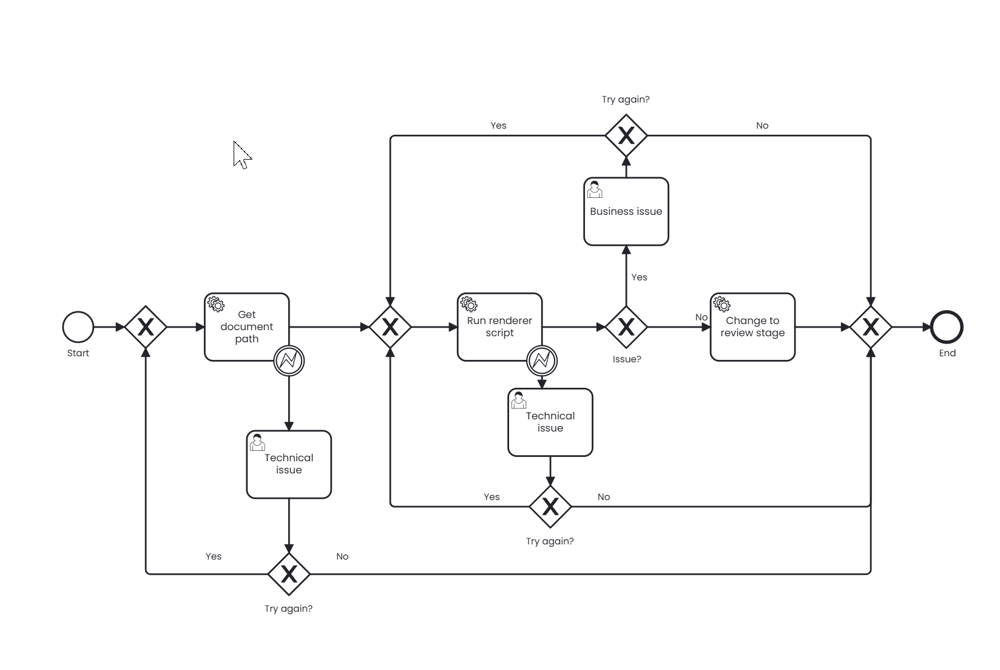
| Variable name | Type | Required | Value | Description |
|---|---|---|---|---|
| renderingWorkerCommand | String | Yes | SCRIPT_META_DB | Choose script categories |
| scriptId | String | Yes | {{scriptId}} | Set in the deployment step of the Installation. Correct by default when you deploy the package |
| recreateDocument | String | Yes | true | Re-create the document if it already exists |
Publication rendering process
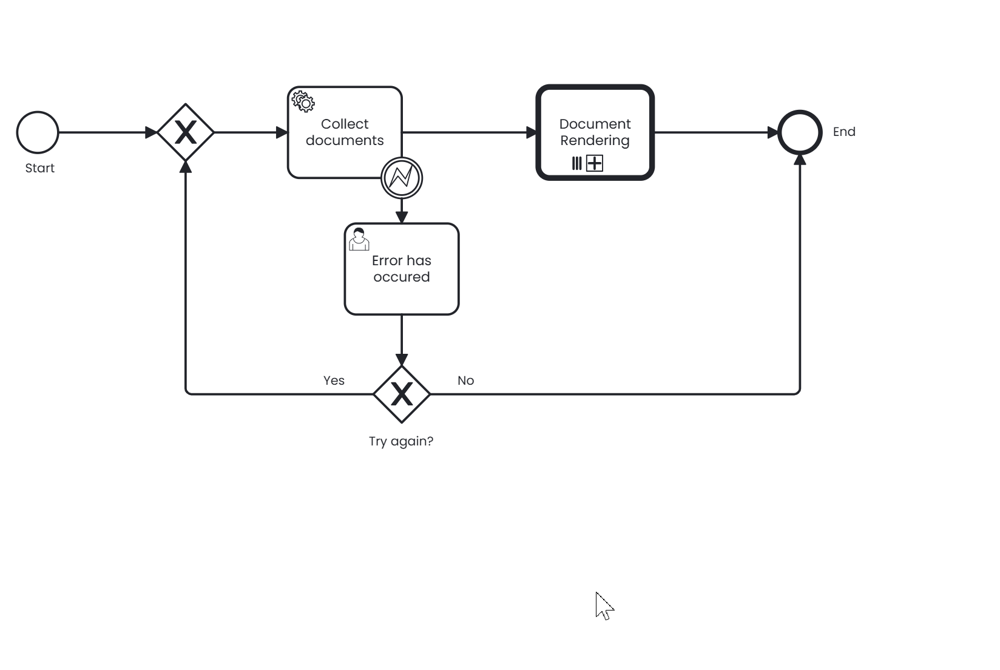
| Variable name | Type | Required | Value | Description |
|---|---|---|---|---|
| called element | String | Yes | Document_Rendering | Calls the document rendering process |
Wizard step definition
Selection-based rendering has three steps:
generic_detail: the user enters the publication details.generic_product_assignment: the system loads the data and displays it in the UI. It supports drag-and-drop.generic_render: the system renders and displays a preview when the process finishes.
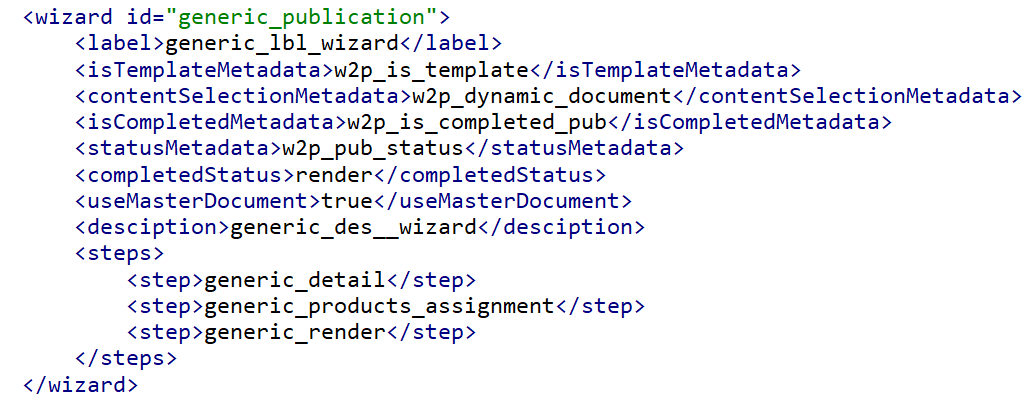
In the render step, the Camunda process Publication_Rendering runs the rendering immediately, because autoRun=true is set in the config.
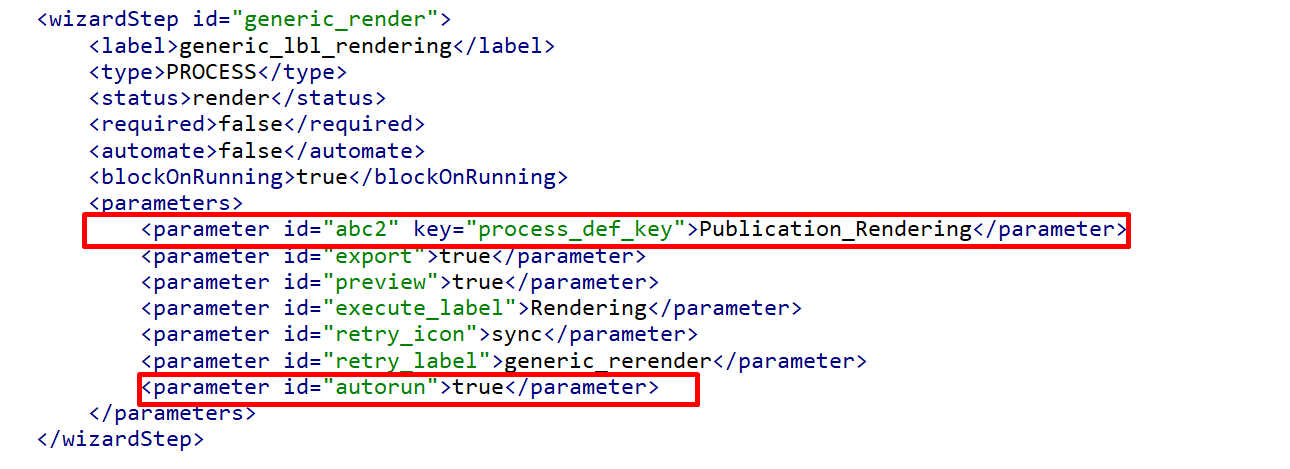
The xmlResource value for the W2P generic test data import process in selection-based rendering is config/generic-w2p-config.xml.
Output
Running this process produces:
- A publication template
- A page template, product template, and document template assigned to it
- A new ISON configuration