BucketDocumentParameterLabel
Overview
1. AccPack_BucketDocumentParameterLabel
The AccPack_BucketDocumentParameterLabel gets the label of a bucket document parameter.
2. Architectural Decision: Label vs. Key Value
A consultant must choose between BucketDocumentParameterLabel and BucketDocumentParameterKeyValue based on whether they need the metadata of the container or the content within it:
-
AccPack_BucketDocumentParameterKeyValue: Use this when you need to retrieve a specific attribute (e.g., "Chapter Color" or "Season Start Date") from a bucket assigned to a document parameter.
-
AccPack_BucketDocumentParameterLabel: Use this when you need the label (name) of the bucket itself that is assigned to the document parameter.
Example Scenario: If a document parameter named "CurrentChapter" is linked to a bucket labeled "Spring Catalog 2025," the Label placeholder will return "Spring Catalog 2025." In contrast, the KeyValue placeholder would be used to pull a specific key like "catalog_version" from inside that same bucket.
Technical Specification
Placeholder type: Text
Entity: Works with planning records and bucket records
Function Variables
-
Document Parameter: The unique identifier of the document parameter to which the target bucket is assigned.
-
Result Entity Id: The identifier of the result entity (e.g.,
bucket_label).
Developer Specifications
-
Data Query:
com.priint.accpack.placeholder.dataquery.BucketDataQueryPlugin.getLabelOfBucketByDocumentParameter. -
Data Mapping:
com.priint.pubserver.plugins.datamapping.DataMappingToString.firstValueToString. -
Data Processing:
-
htmlToPlainText: Removes all HTML tags (Default).
-
htmlToTaggedText: Converts HTML tags into
priint:comettagged text for InDesign to maintain styles.
-
Global Configuration Logic
1. Context Definition
Generic placeholders default to using the _language and _country parameters. This should be configured globally within project settings to ensure consistency across the publication.
2. Selection Variable Logic
This placeholder remains compatible with standard selection logic if a planning record is assigned:
-
Ignore selected content: Recognizes the label of the bucket assigned to the parameter regardless of planner state.
-
Only selected content: Only returns the label if the bucket is explicitly selected in the planning record.
-
Use all if no content selected: Acts as the fallback state, returning the label as long as a bucket is assigned to the parameter.
Technical Environment & Deployment
Consultants could find guide for deployment of generic placeholders here: installation & configuration
Demonstration & Implementation Examples
Demo data for example:
Figure 1: Document parameter to be displayed in priint:neowise
-
Document parameter: Chapter Name
-
Label: Beginner
-
Metadata Type: Text Field
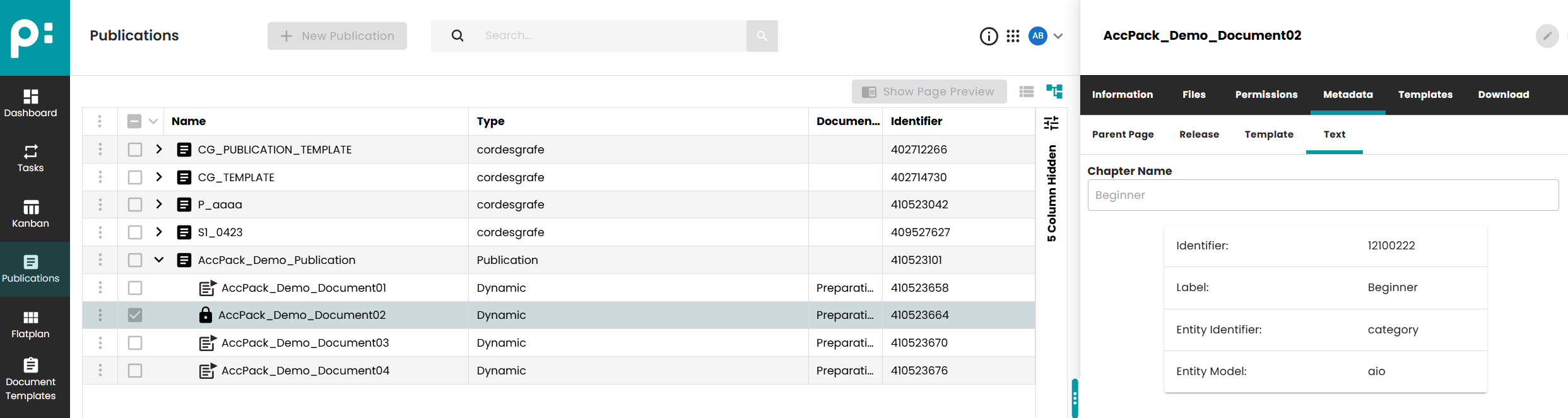
Figure 2: Prepared data to be displayed in priint:admin
-
Document parameter: Chapter Name
-
Identifier: chapter_name
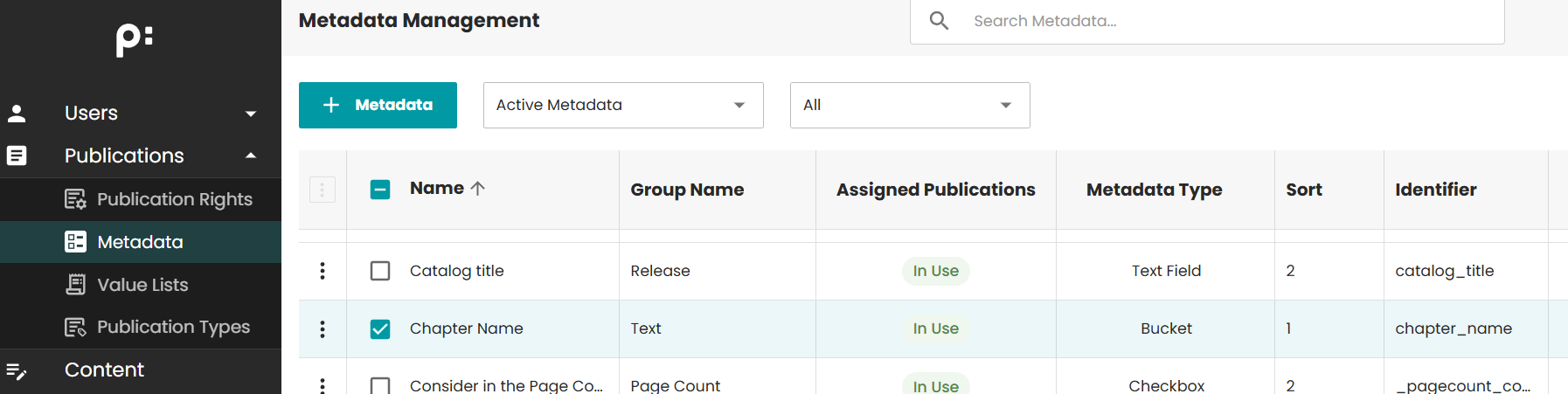
Figure 3: Configuration of Placeholder Options
- Document parameter: chapter_name
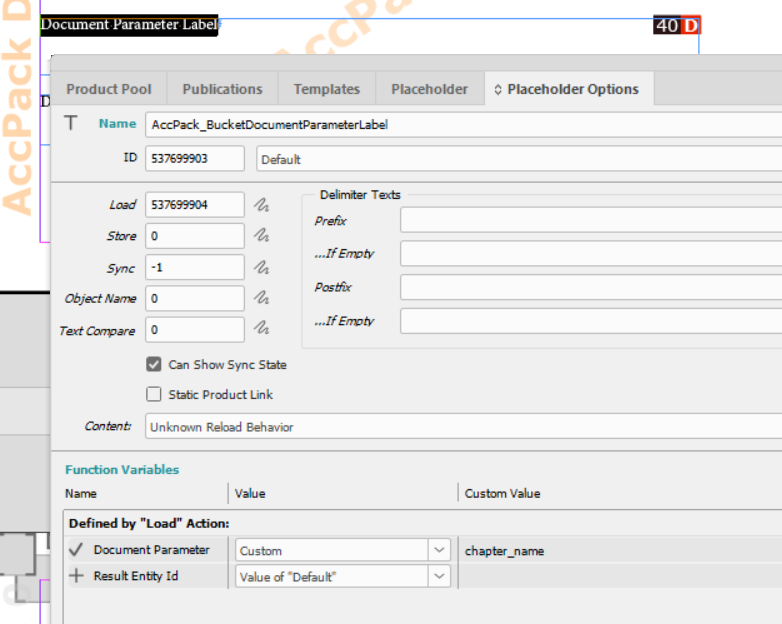
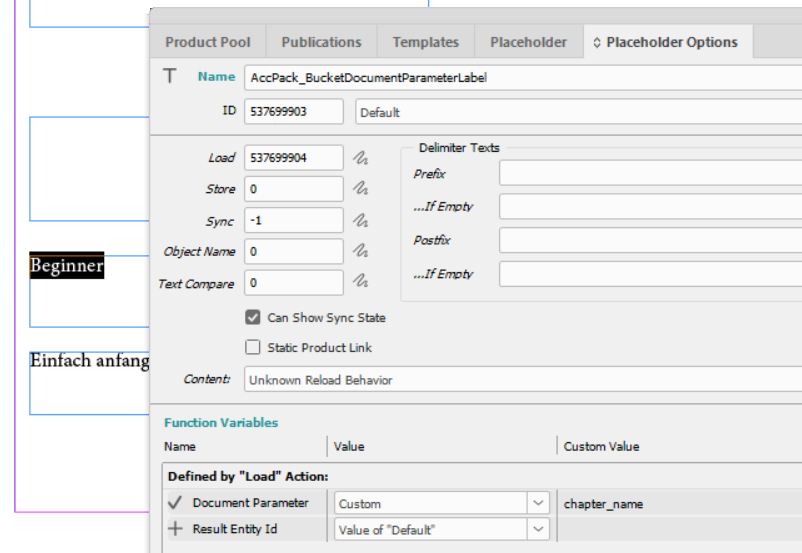
Figure 4: Result
Text "Beginner" is displayed.
Further Reading
-
BucketDocumentParameterKeyValue — gets a key value of the bucket assigned to a document parameter