ChildBucketTemplates
Overview
1. AccPack_ChildBucketTemplates
The AccPack_ChildBucketTemplates places a sub-template for each of the child buckets of a bucket. Each sub-template is linked to the correct child bucket. Use this when you need to build a layout for every direct child of the currently linked bucket. For more control over tree traversal, use BucketTemplates.
2. Architectural Decision: ChildBucketTemplates vs. BucketTemplates
Choosing the correct multiframe placeholder depends on the required depth of data evaluation and tree traversal:
-
AccPack_ChildBucketTemplates: Use this when you specifically need to build a layout for every direct child of the currently linked bucket. It is the most efficient choice for flat hierarchies.
-
AccPack_BucketTemplates: Use this more advanced version for complex tree traversal (ascending or descending levels). It offers more control over which buckets should be linked by allowing the system to bypass direct children to find matching entities deeper in the tree.
Typical Use Case: A typical use case for AccPack_ChildBucketTemplates is listing product variants under a product bucket. If a main product bucket is linked to a frame, this placeholder will automatically identify all variant buckets directly nested beneath it and place a specific sub-template for each variant (e.g., different sizes or colors of the same product).
Technical Specification
Placeholder type: Multiframe
Entity: Works with planning records and bucket records
Function Variables
-
Template: Select the sub-template that should be built for each identified child bucket.
-
Result Entity ID: Acts as a filter; only buckets matching this specific entity type will be built into the multiframe.
-
FormatString: Configures a custom format string for the multiframe to define layout behavior.
-
Selection: Defines filtering logic if a planning record is assigned (See Selection Variable Logic below).
Developer Specifications
-
Data Query:
com.priint.accpack.placeholder.dataquery.BucketQueryPlugin.getChildrenBucketOrPlannedBucket. -
Data Mapping:
com.priint.pubserver.comet.bridge.datamapping.DataMappingToElement.bucketsToElements. -
Data Processing:
-
com.priint.pubserver.comet.bridge.dataprocessing.setTemplate: Sets the template for each identified element. -
com.priint.accpack.placeholder.dataprocessing.setFormatString: Applies the specified format string to each element.
-
Global Configuration Logic
1. Context Definition
Generic placeholders default to using the _language and _country parameters.
-
Static Value Reset: If the child bucket data is language-neutral, the context can be reset using the default staticValue Context Rule.
-
Mixed Usage: Use the
useDocumentVariableWithEntityCheckrule to automatically skip context if an entity is not dynamic.
2. Selection Variable Logic
The Selection variable determines behavior when a planning record is assigned in the Planner UI:
-
Ignore selected content: Every child bucket is recognized, bypassing any specific selections made in the planning record.
-
Only selected content: Only child buckets explicitly selected in the planning record will be built.
-
Use all if no content selected: Acts as the fallback state, building all child buckets unless a specific selection exists.
Technical Environment & Deployment
Consultants could find guide for deployment of generic placeholders here: installation & configuration
Demonstration & Implementation Examples
Demo data for example:
-
Pre-defined templates:
- AccPack Demo BucketTemplate, ID: 410523033
- AccPack Demo Subtemplate, ID: 410523024
-
Prepared product data:
- Product: White heart
- Sub-product: 4833040, 4833041, 4833043
- Key of product data to be displayed: quantity
Figure 1: Prepared data to be displayed in priint:admin
- Product & articles as sub-buckets
- Key values of
key=quantity
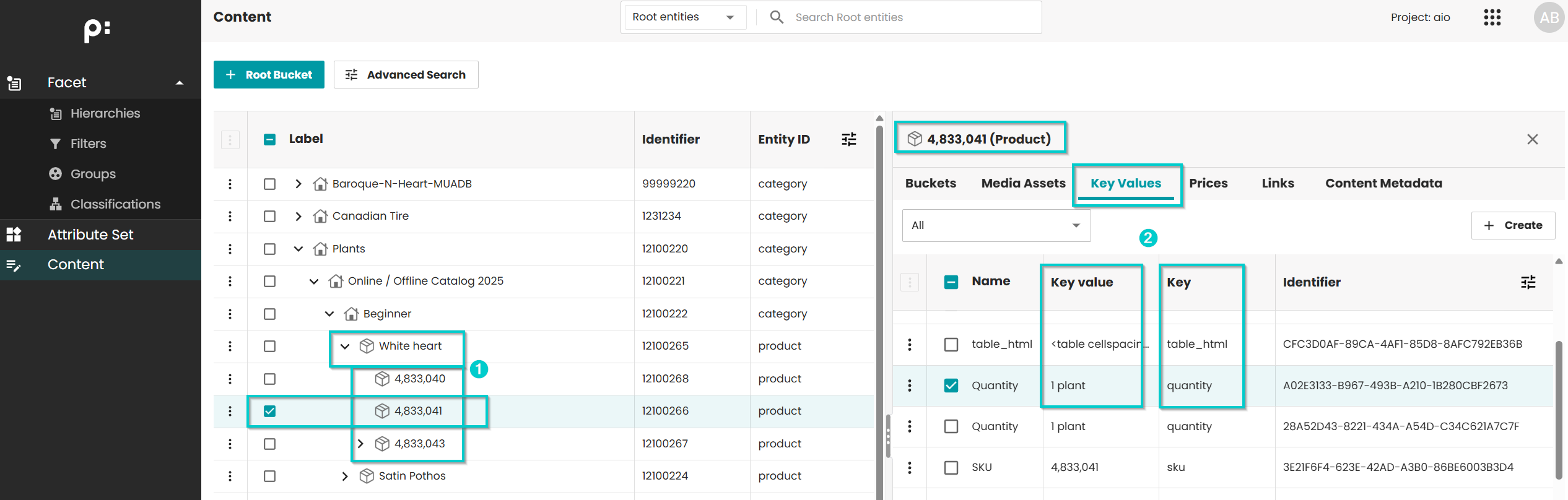
Figure 2: Placeholder Options for Child bucket template
- Template ID: 410523033
- Placeholder: AccPack_ChildBucketTemplates
- Function variables:
- Level: descend (system will look up the direct sub level of the rendered product)
- Template: AccPack Demo Subtemplate (the placeholder calls template
AccPack Demo Subtemplateas subtemplate to be displayed) - Other variables are set as default
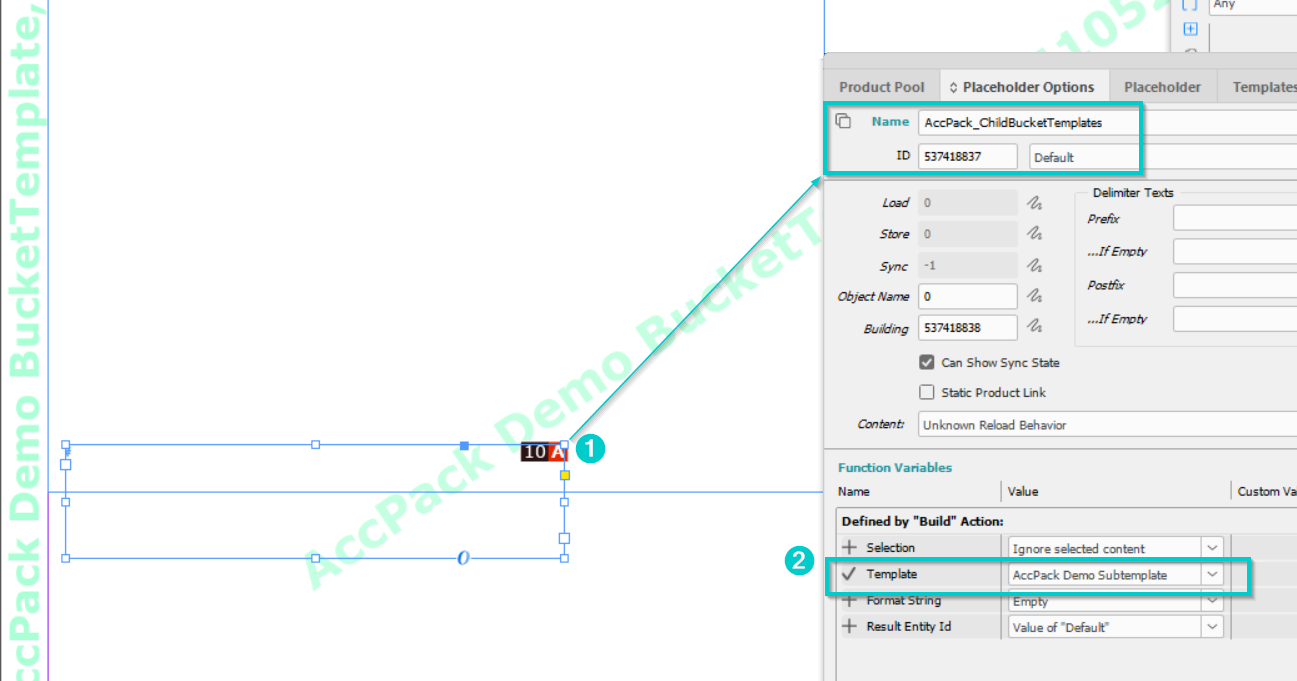
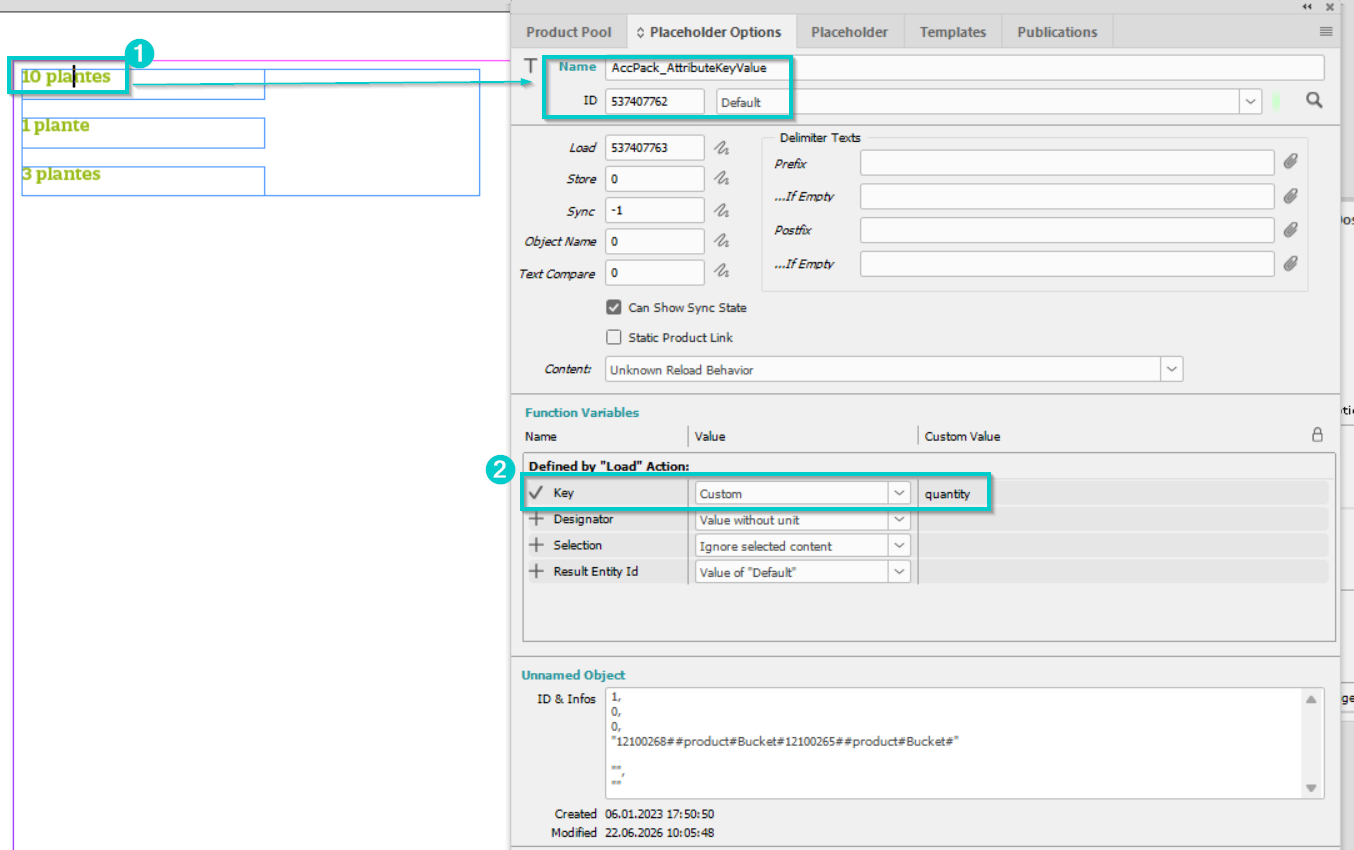
Figure 3: Placeholder Options for Subtemplate
- Template ID: 410523024
- Placeholder: AccPack_AttributeKeyValue
- Function variables:
- Key: Custom, value: quantity (the key value of attribute with
key=quantitywill be displayed) - Other variables are set as default
- Key: Custom, value: quantity (the key value of attribute with
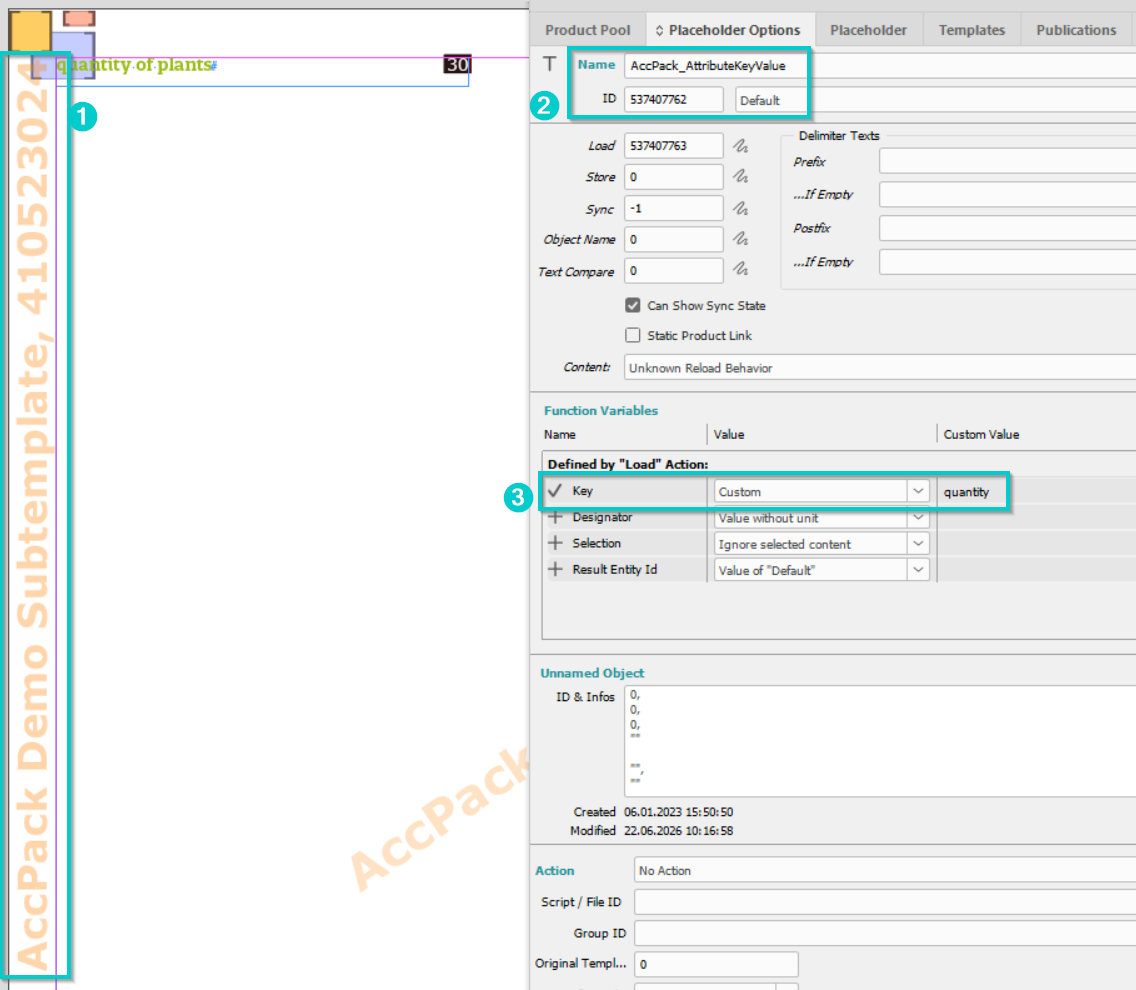
Figure 4: Result (displayed data of quantity for each sub-bucket defined in the sub-template)
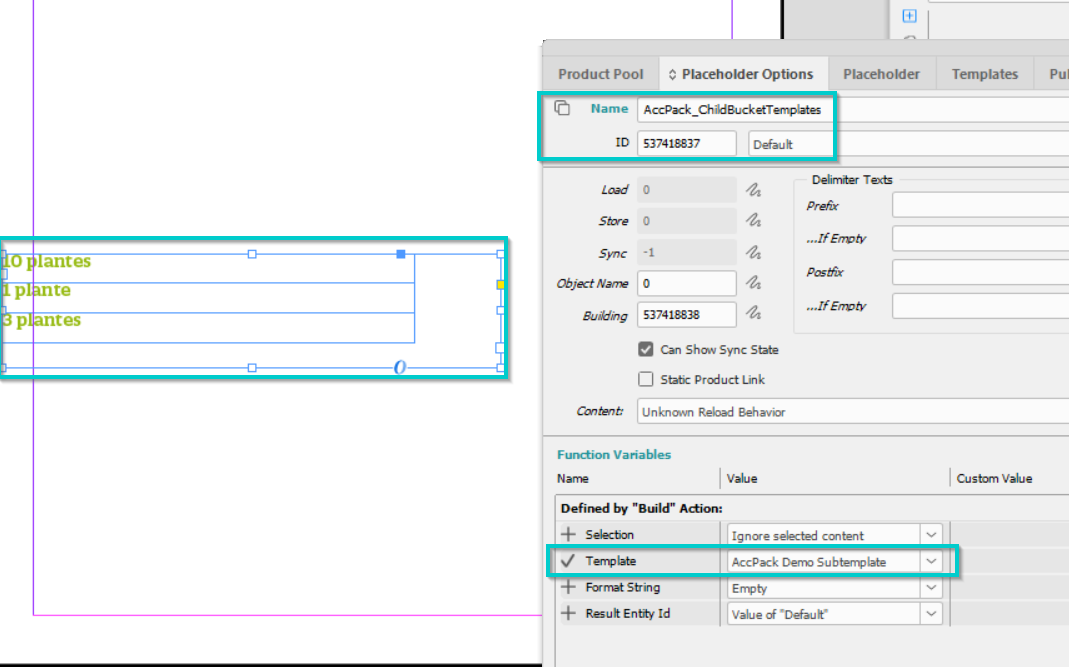
Figure 5: Result (Placeholder Options for Sub-template inside Child bucket template)
Further Reading
-
BucketTemplates — advanced version with tree traversal