MediaAssetsFromChildren
Overview
1. AccPack_MediaAssetsFromChildren
The AccPack_MediaAssetsFromChildren gets unique images from child buckets or corded buckets of the current bucket. Filters out duplicates. Use this when you need to display images from child data records rather than from the currently linked bucket.
2. Architectural Decision: Current Level vs. Child/Cord Traversal
Choosing the correct multi-frame placeholder depends on where the media assets are located relative to the currently linked bucket.
| Placeholder | Primary Data Source | Linkage Logic |
|---|---|---|
| AccPack_MediaAssets | Current Level (Current Bucket / Planned Bucket) | Retrieves multiple images linked directly to the current record. |
| AccPack_MediaAssetsFromChildren | Child/Cord Level (Children or Corded Buckets) | Traverses one level down to collect unique images from child buckets or corded buckets, automatically filtering out duplicates. |
Typical Use Case: A consultant should use AccPack_MediaAssetsFromChildren when they need to collect all product variant images under a product group bucket. For example, if a "Chair" product group has five color variants, each with its own linked image, this placeholder will traverse the variants, collect the unique images, and present them in a single multi-frame layout on the product group page.
Technical Specification
Placeholder type: Multi-Frame
Entity: Works with planning records and bucket records
Function Variables
The following parameters configure how the placeholder identifies and retrieves child-level assets:
-
Template: Select the sub-template to be built for each identified media asset.
-
Result Entity Id: Media asset result entity identifier (e.g.,
product_image). If left empty, all assets are retrieved. -
Mode:
-
Child-Bucket: Gets images from child buckets of the current bucket. -
Cords: Gets images from corded buckets of the current bucket.
-
-
Mode Entity Id: Specifies the specific child bucket or cord type to look for.
-
Include current bucket: A flag (
true/false) determining if the system should also check the current bucket for matching assets. -
Ranges: (Added by
com.priint.accpack.placeholder.dataquery.MediaAssetQueryPlugin.getListMediaAssetByChildrenOrCord.) Selects a range of assets (e.g.,All,First,Last,2-Last,1-2,2). -
Sort / Sortorder: (Added by
com.priint.accpack.placeholder.dataquery.MediaAssetQueryPlugin.getListMediaAssetByChildrenOrCordSorted.) Defines the list order (As is,Sequence,by Label) and direction (Ascending,Descending).
Developer Specifications
-
Data Query:
-
com.priint.accpack.placeholder.dataquery.MediaAssetQueryPlugin.getListMediaAssetByChildrenOrCord. -
com.priint.accpack.placeholder.dataquery.MediaAssetQueryPlugin.getListMediaAssetByChildrenOrCordSorted.
-
-
Data Mapping:
com.priint.pubserver.comet.bridge.datamapping.mediaAssetsToElements. -
Data Processing:
-
com.priint.pubserver.comet.bridge.dataprocessing.setTemplate: Sets the template for each element. -
com.priint.accpack.placeholder.dataprocessing.setFormatString: Allows setting the multiframe format string as a function variable.
-
Global Configuration Logic
1. Context Definition
Generic placeholders default to using the _language and _country parameters.
-
Static Value Reset: For language-neutral assets, the context can be reset using the default staticValue Context Rule.
-
Mixed Usage: The
useDocumentVariableWithEntityCheckrule can be used to automatically skip context if an entity is not dynamic.
2. Selection Variable Logic
The Selection variable determines behavior when a planning record is assigned in the Planner UI:
-
Ignore selected content: Every unique image found in child/corded buckets is recognized.
-
Only selected content: Returns assets only if the child buckets they belong to are explicitly selected in the planning record.
-
Use all if no content selected: Acts as the fallback state, returning all available unique assets unless a selection exists.
Technical Environment & Deployment
Consultants could find guide for deployment of generic placeholders here: installation & configuration
Demonstration & Implementation Examples
Demo data for example:
-
Pre-defined product data:
-
Product to be displayed: Beginner
-
Entity type: category
-
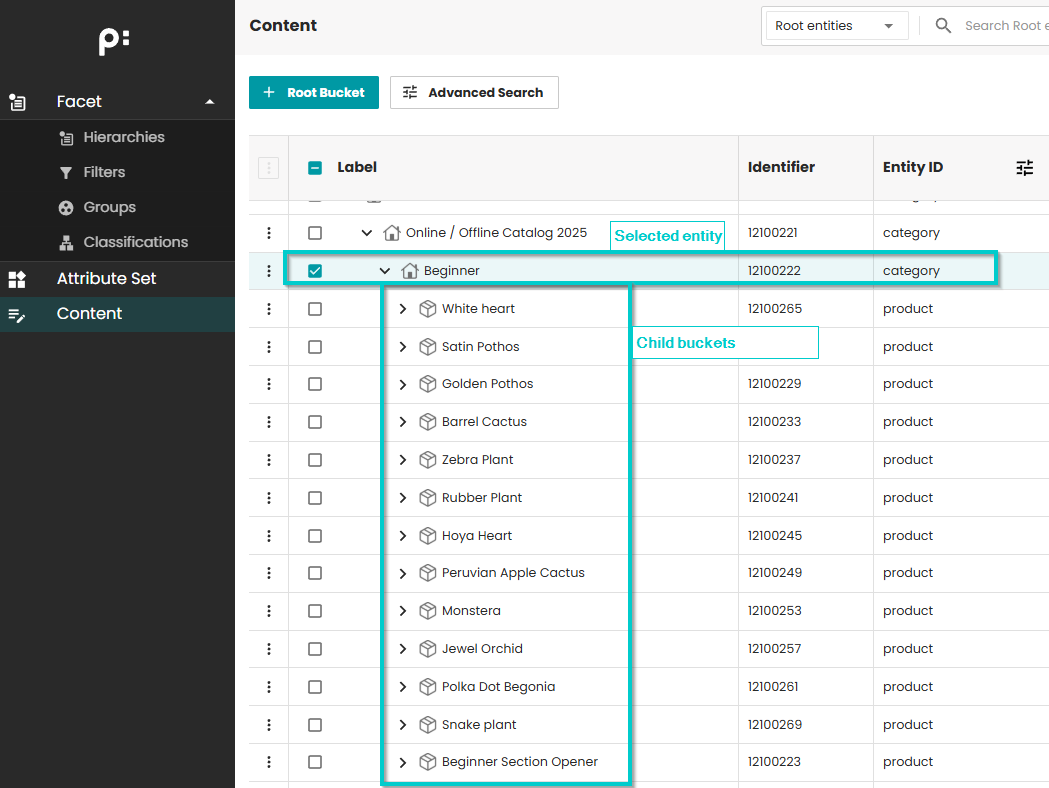
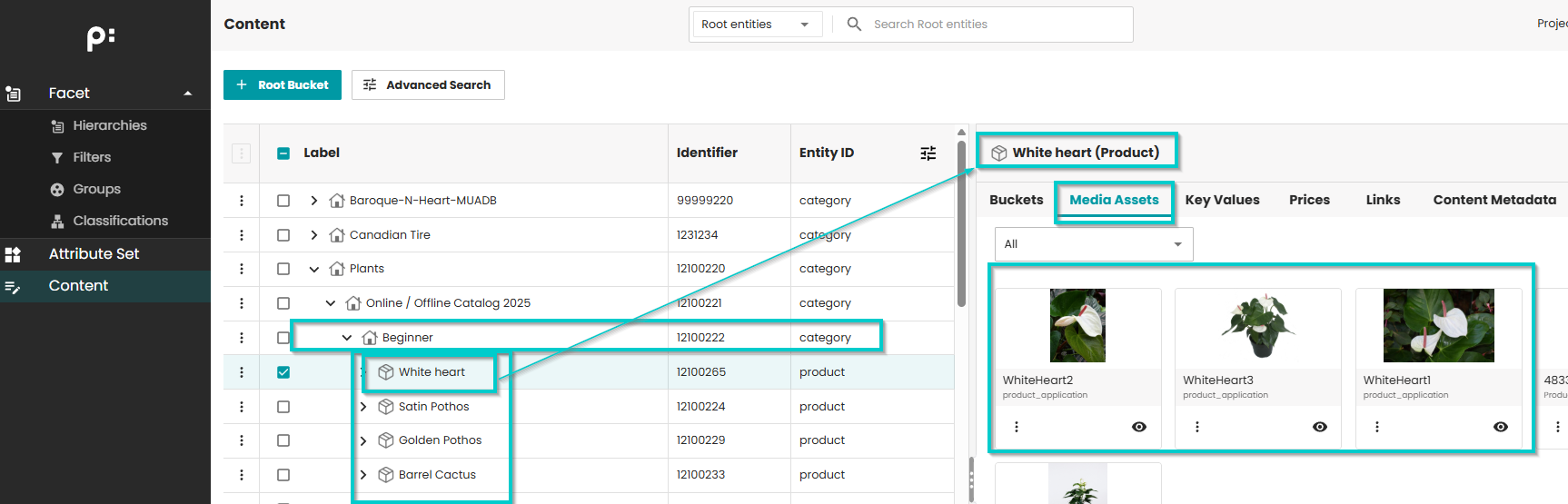
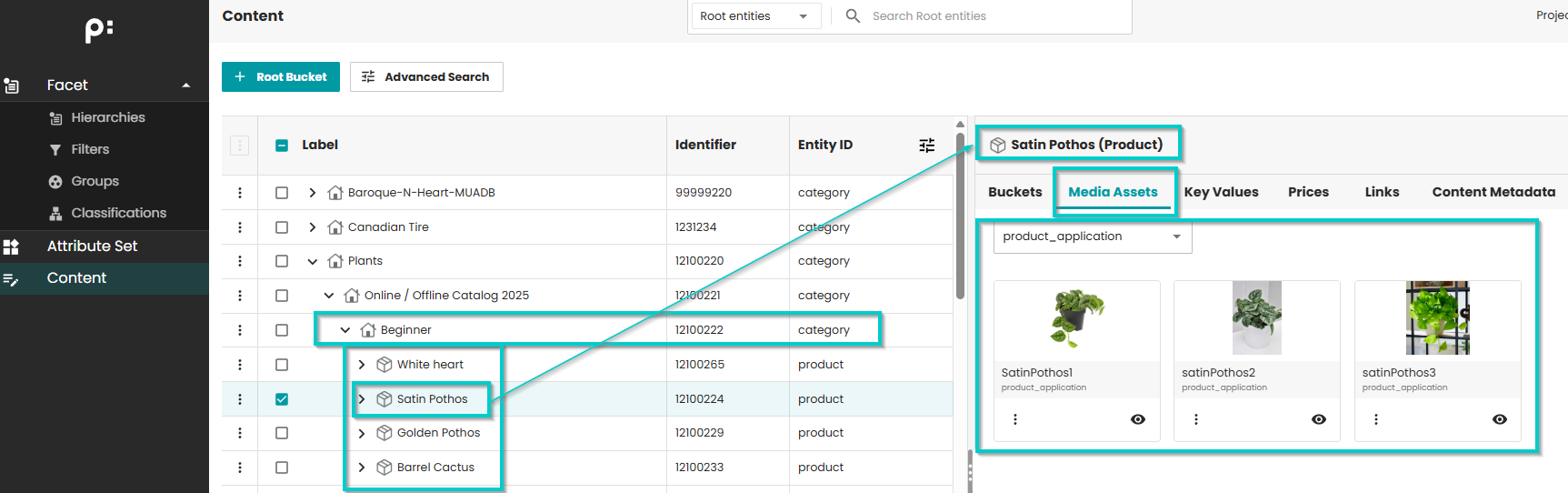
- Children from selected products (with media assets)
-
Pre-defined template:
-
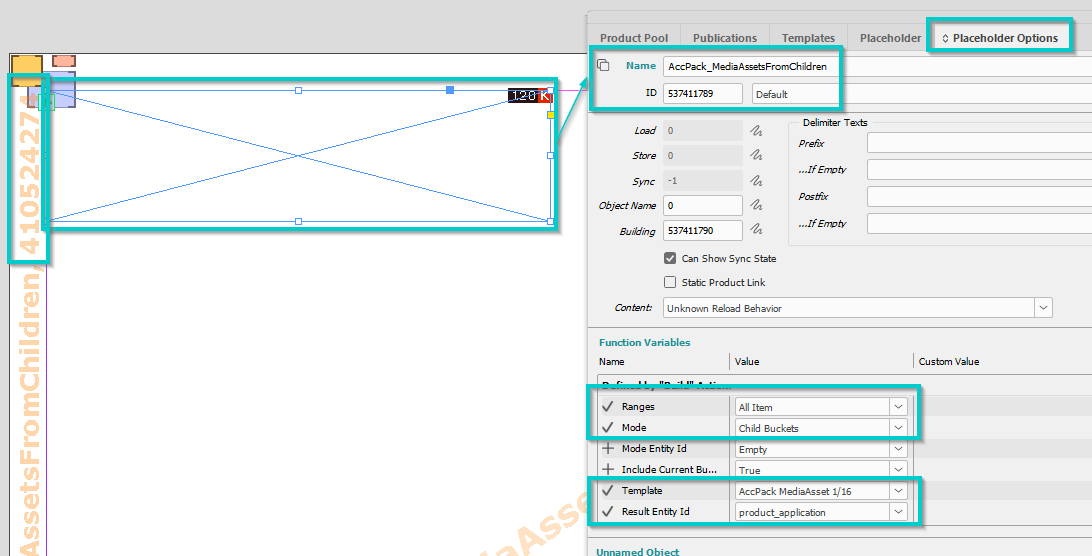
Name: AccPack Demo MediaAssetsFromChildren
-
ID: 410524274
-
-
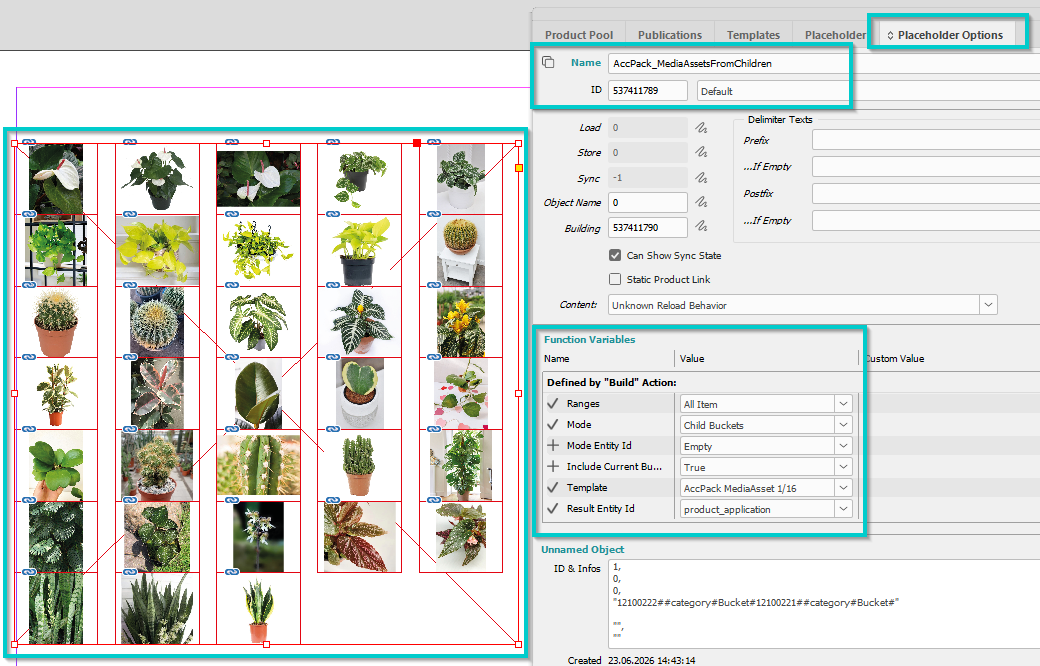
Placeholder options configuration:
-
Mode: Child buckets
- Meaning: Media assets from child buckets of the selected entity are searched
-
Ranges: All item
- Meaning: All media assets from child buckets of the selected entity will be displayed
-
Template to be used inside frame: AccPack MediaAsset 1/16
-
Result Entity Id: product_application
- Meaning: only media assets with entity id
product_applicationare displayed
- Meaning: only media assets with entity id
-
-
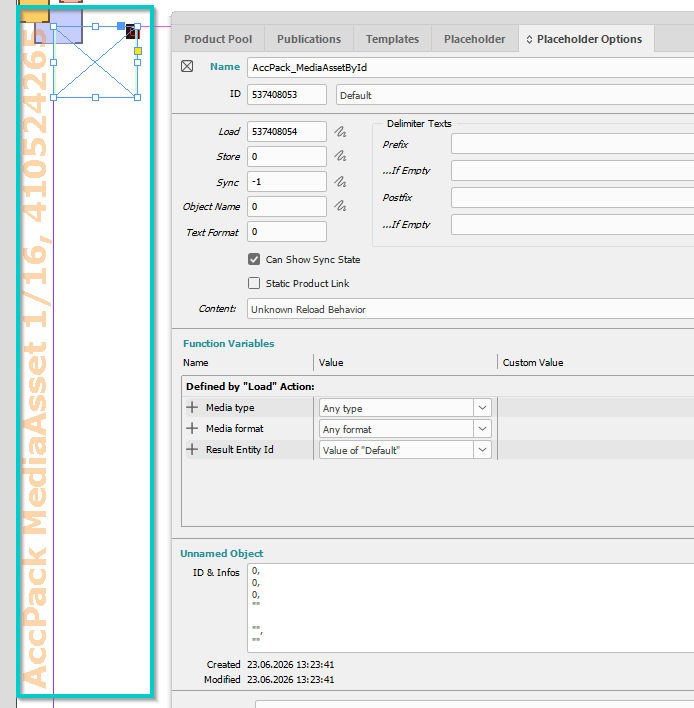
Pre-defined template inside the frame:
-
Name: AccPack MediaAsset 1/16
-
ID: 410524265
-
- Result:
Further Reading
-
MediaAssets — images from the current bucket
-
ChildBucketTemplates — sub-templates for child buckets (not media assets)