MediaAssetLabel
Overview
1. AccPack_MediaAssetLabel
The AccPack_MediaAssetLabel searches for media assets by matching a regular expression against the media asset label. It returns a single image frame for the first match. You can use this when you need to find an image by its label pattern rather than by its entity identifier.
2. Architectural Decision: MediaAsset vs. MediaAssetLabel
Selecting the correct media asset placeholder depends on whether the selection logic is based on entity linkage or specific naming conventions.
| Placeholder | Primary Function | Ideal Use Case |
|---|---|---|
| AccPack_MediaAsset | Retrieves media assets directly linked to a bucket or planning record. | Standard product images linked via PIM relations. |
| AccPack_MediaAssetLabel | Searches for assets by matching a regular expression against the media asset label. | When the label-based search is the primary selection mechanism, such as finding an image by its label pattern rather than an entity ID. |
When to choose AccPack_MediaAssetLabel: A consultant should choose this placeholder when you need to find an image by its label pattern. It returns a single image frame for the first match found. While AccPack_MediaAsset also supports search strings, MediaAssetLabel is engineered specifically for scenarios where the asset must be identified primarily through regular expression matching against the label metadata.
Technical Specification
Placeholder type: Multiframe
Entity: Works with planning records and bucket records
Function Variables
-
Media type: Filters by type (e.g.,
*for any,print,internet). -
Media format: Filters by format (e.g.,
*for any,tiff,jpeg). -
Search String: Defines the search pattern. Supports multiple entries delimited by
;. Use theregexp:prefix for regular expressions (e.g.,regexp:IMG(.*)). -
Selection: (See Selection Variable Logic below).
-
Result Entity ID: The identifier for the media asset result entity.
Developer Specifications
-
Data Query:
com.priint.accpack.placeholder.dataquery.MediaAssetQueryPlugin.getListMediaAssetByLabel. -
Data Mapping:
com.priint.accpack.placeholder.datamapping.MediaAssetDataMapping.firstMediaAssetToFileUrlOrFilePath. -
Data Processing: None required.
Global Configuration Logic
1. Context Definition
Generic placeholders default to using the _language and _country parameters.
-
Static Value Reset: If the child bucket data is language-neutral, the context can be reset using the default staticValue Context Rule.
-
Mixed Usage: Use the
useDocumentVariableWithEntityCheckrule to automatically skip context if an entity is not dynamic.
2. Selection Variable Logic
The Selection variable determines behavior when a planning record is assigned in the Planner UI:
-
Ignore selected content: Every child bucket is recognized, bypassing any specific selections made in the planning record.
-
Only selected content: Only child buckets explicitly selected in the planning record will be built.
-
Use all if no content selected: Acts as the fallback state, building all child buckets unless a specific selection exists.
Technical Environment & Deployment
Consultants could find guide for deployment of generic placeholders here: installation & configuration
Demonstration & Implementation Examples
Demo data for example:
-
Pre-defined template:
-
Name: AccPack Demo Generic Template
-
ID: 410471354
-
-
Pre-defined product data:
-
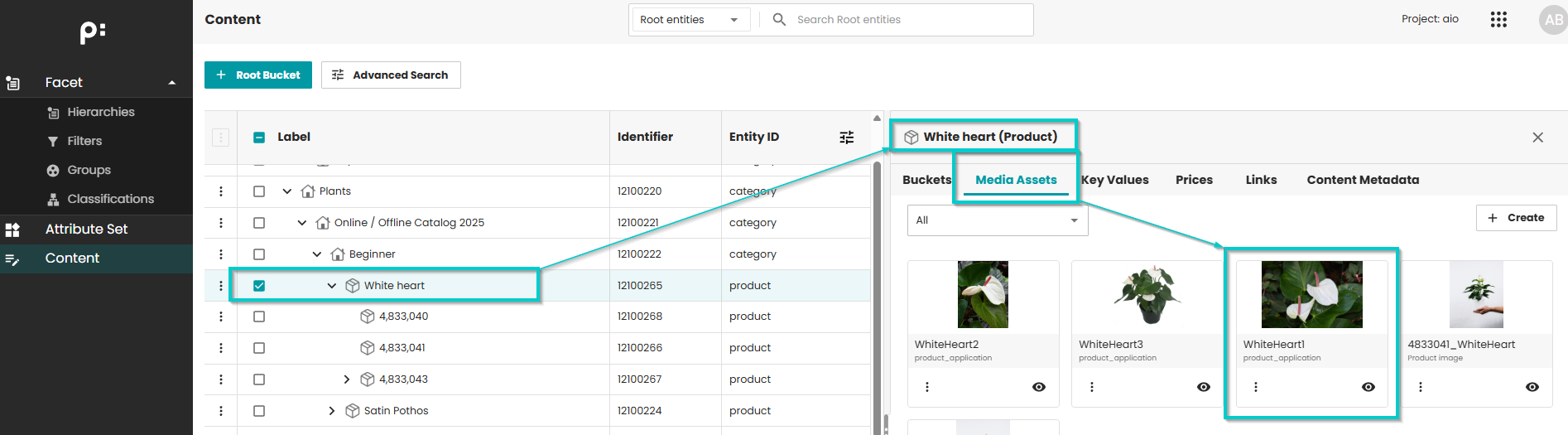
Product: White heart
-
Image file name: White Heart 1.JPG
-
-
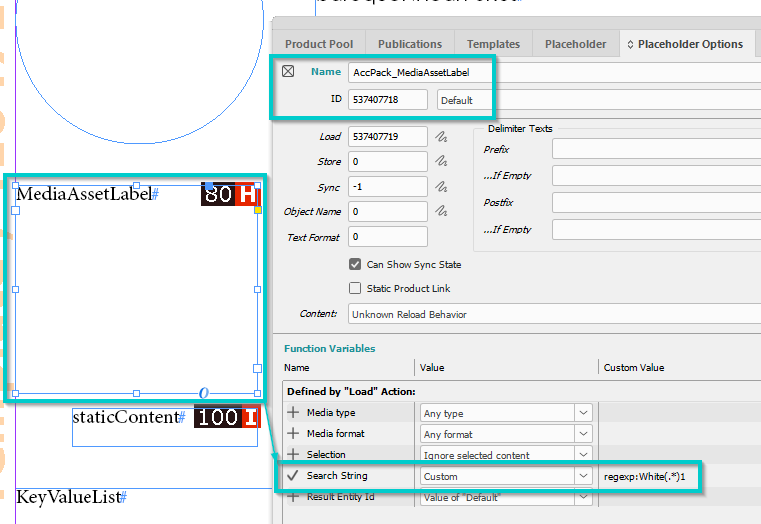
Placeholder options configuration:
-
Search String: Custom, value= regexp:White(.*)1
-
Meaning: search for images with file name starts with "White" and ends with "1".
-
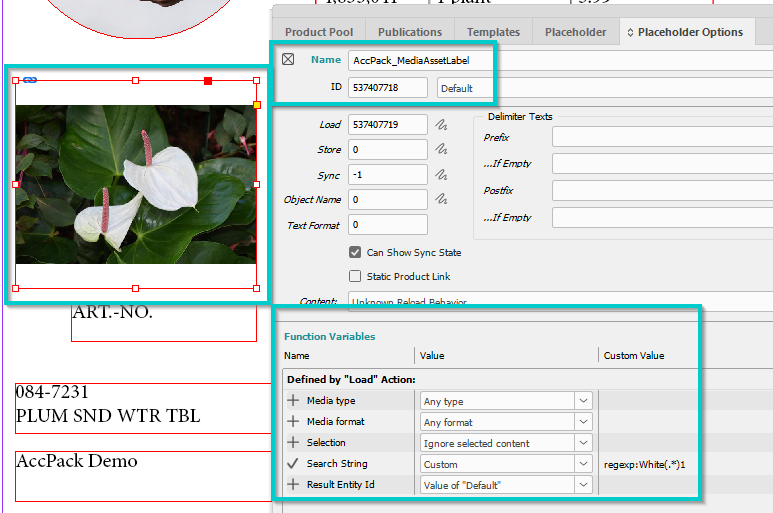
- Result:
Further Reading
-
MediaAsset — gets a single media asset by type, format, or search string
-
MediaAssets — gets multiple media assets as a multiframe